

This article is a written account of a video from the Lens Of James YouTube channel. Watch the video above and subscribe if you like what you see!
This article contains affiliate links to relevant products I have used in my videos. By buying through these links, I receive a small percentage of the sale at no cost to you which helps me support and grow my website and YouTube channel, so I can create more content like this in the future. Thank you for your support.
Introducing the AllPowers R1500 Power Station & SP-033 Folding Solar Panel
I’ve been using a relatively small battery – a Novoo 230W portable power station – to power my devices in my tiny van conversion, but now it’s time to upgrade to something a little bigger.

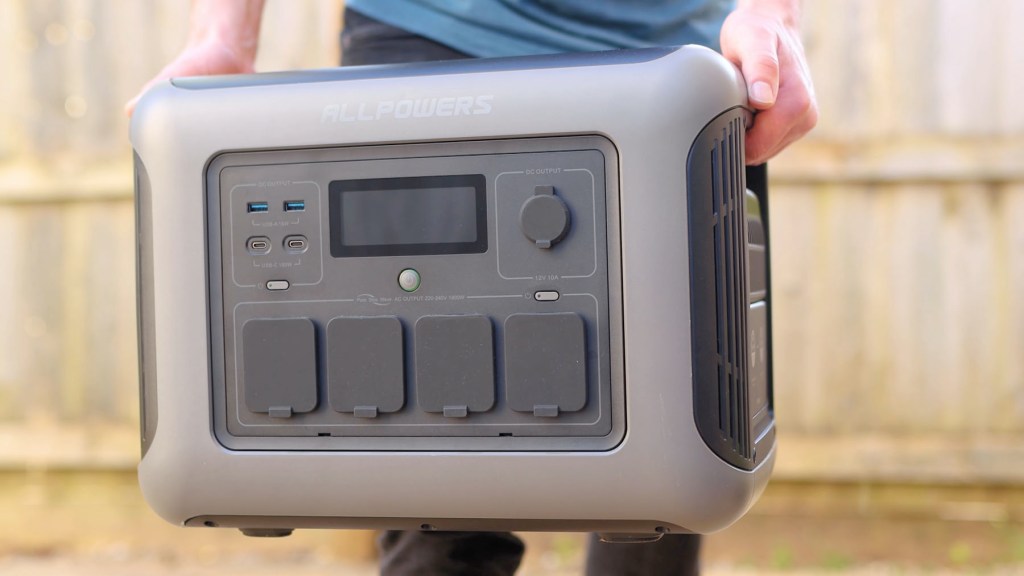
And I’ve chosen the Allpowers R1500 battery with the SP033 200-watt folding solar panel which, hopefully, will suits all my off-grid needs!
My previous battery was 230 watt-hour, so at 1152 watt-hours this is a 5 times increase which should have a huge impact on which devices I can use in the van and how often I can charge them.

So you may be wondering why I haven’t installed a leisure battery in the van and wired all my lights and electronics in…
And that’s because I don’t know the first about electrics and, having done the van build myself, and on a budget, have found power stations like this to be the simplest, safest and cheapest way for me to get power in the van.
And if you’re interested, I’ve got tons of videos on how I converted my van into a tiny camper, so head to my channel afterwards to check them out!
I’d also like to thank Allpowers for kindly sending me the R1500 and SP033 solar panel so I could make this article and share my experiences.
They’ve also kindly provided the 10% discount code for my viewers. Simply click the link in the description and enter AFJL10 at the checkout to save some money on your AllPowers set up.
Click to buy your own…

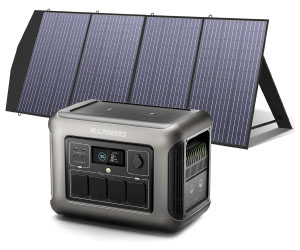

(Affiliate links which help support this blog)
AllPowers R1500 1800W Portable Power Station
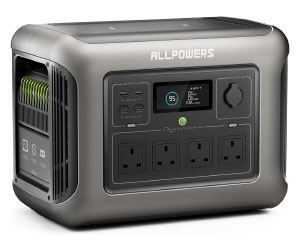
So let’s get straight into the battery… which features an 1800 watt pure sine-wave AC output and 3000w surge capability. The battery itself is a long-lasting lithium iron phosphate battery which is rated to more than 3,500 charging cycles.
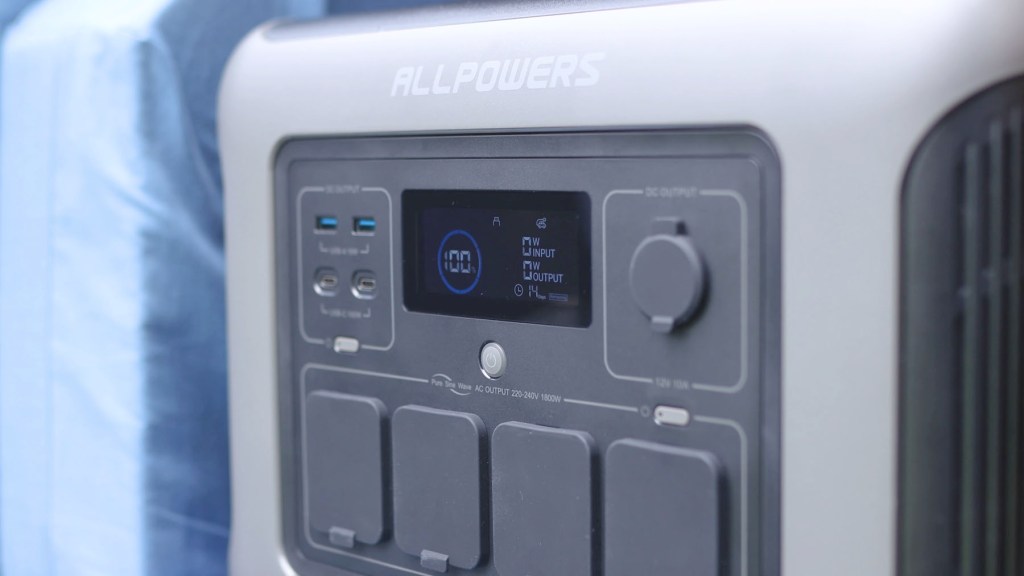
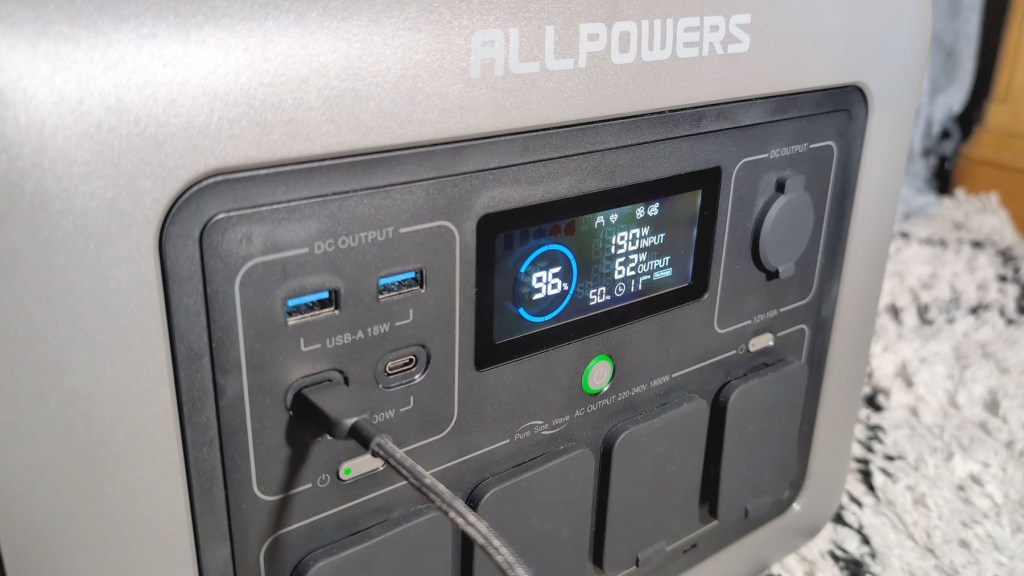
On the battery housing, you’ve got 11 outputs to charge a variety of devices. There are 2 QC 3.0 18 watt USB-A and 2 100 watt USB-C ports, there’s a 12v 10a output and four AC outputs for mains-powered devices.
Then on top, there are two very handy 15 watt Qi wireless charging panels, suitable for any compatible smartphones, earbuds or other wireless charging devices, so there’s less fuss with cables.
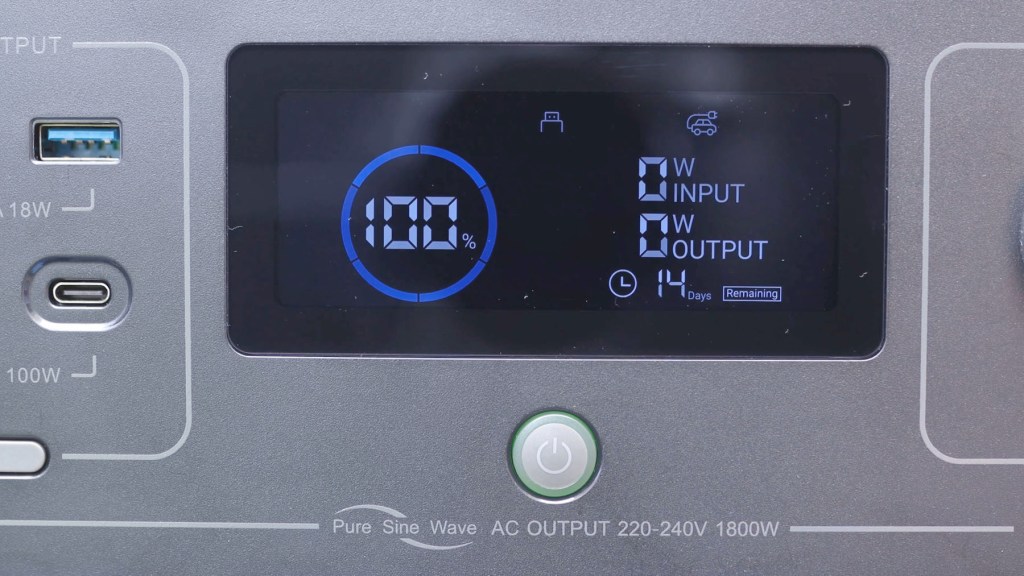
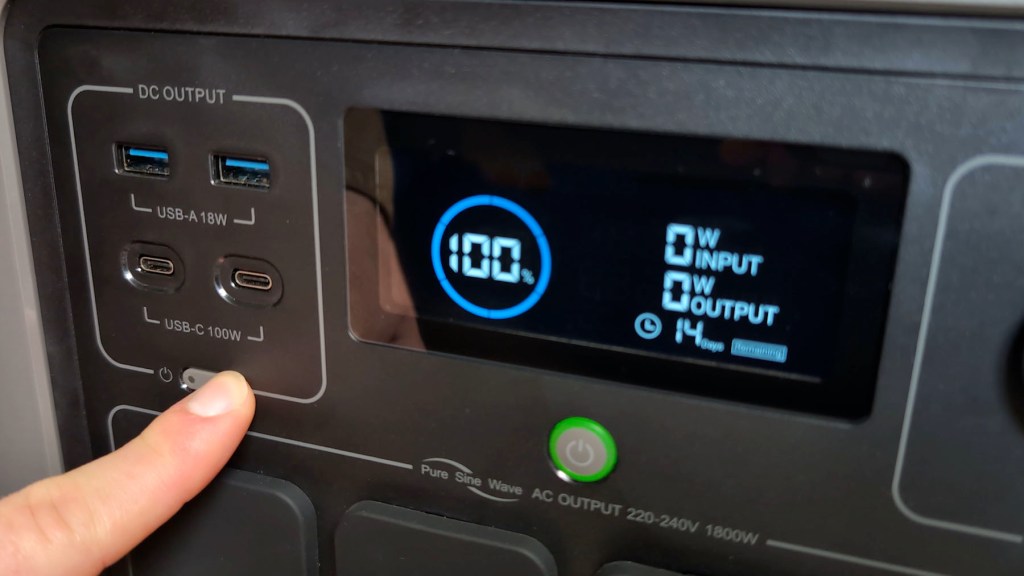
In the middle of all these ports, you’ve got an LCD display which shows useful information such as the battery level, which ports are in use, what the draw is from the battery and how many days charge are remaining based on its current usage. It will also show a number of symbols which relate to different fault codes and settings so you always know what’s going on with the battery.
To charge the R1500 you’ve got a number of options. Pop up the door on the left side of the battery housing and you’ll find the AC charging input, which can be used with the cable included in the box, the solar or car input,, and an AC overload protector reset button. This means that you can charge the battery up before your trip from the mains, or on the road from your vehicle, or from solar panels, which I’ll come on to shortly, though it’s worth mentioning here that the R1500 can accept a maximum of 650w solar charging in around 2 hours.

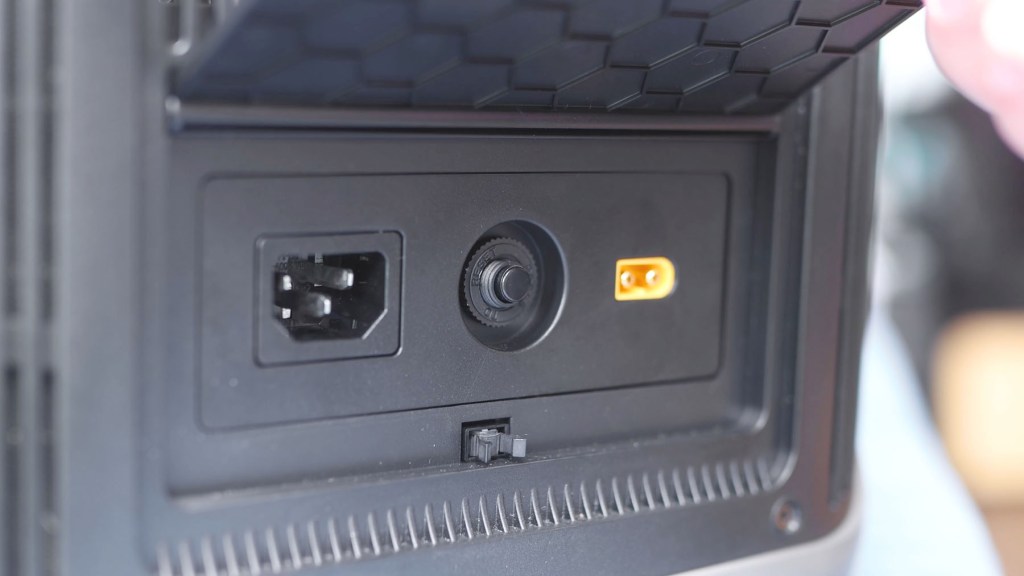
The R1500 supports fast charging, with a maximum input of 1500w, so you’ll get from 0 to 80% in 40 mins according to the manual. When I tested it, I found it took just over an hour to get to 80% and 1 hour 40 minutes to get to 100%, which I think is really impressive, whilst reaching a maximum 1007 watts charging on standard mode, and I’ll talk about the different charging modes later.
The power station is also capable of pass-through charging, meaning that you can have the power station hooked up to the mains whilst charging or powering devices from it, so if the mains power fails, the devices will stay on and your power supply is uninterrupted until the battery runs out or the mains power comes back on.
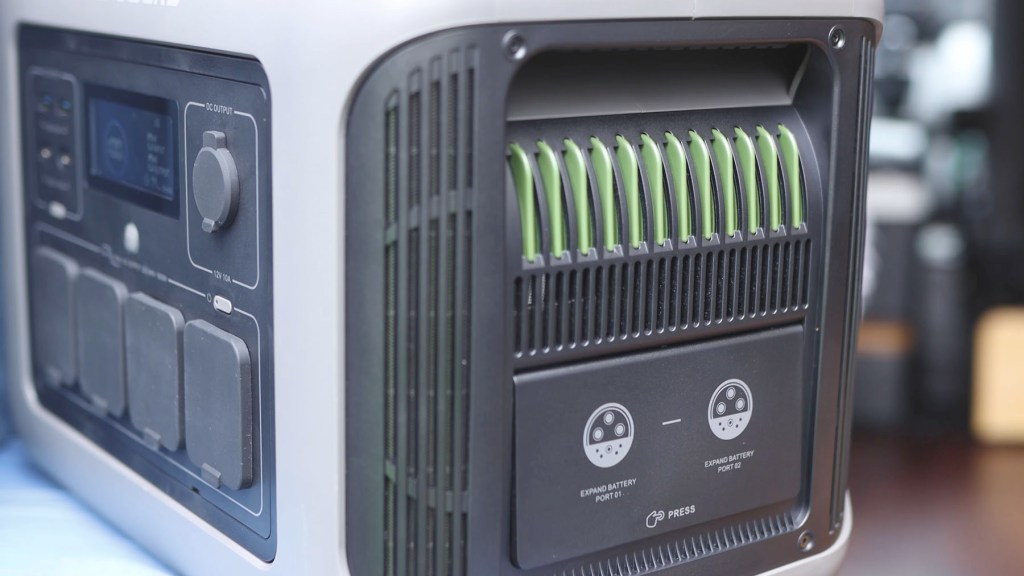
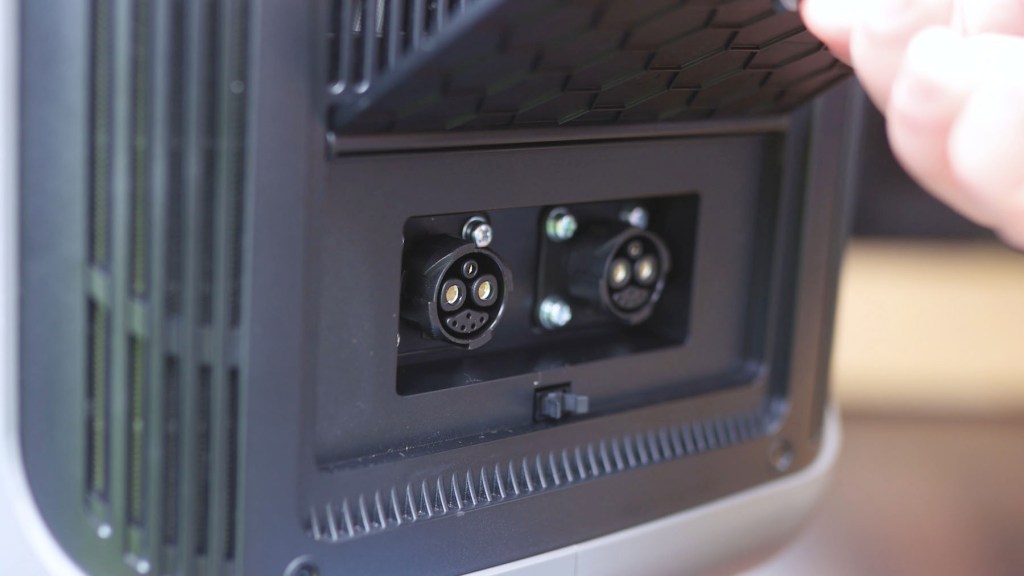
On the right side there’s another door which pops up, and this one houses two ports with which you can connect 2 extra batteries to increase the overall capacity. You’d need to use AllPowers’ own cable to do this, which I couldn’t find very easily online, and have extra batteries to hand, but it’s a really useful function to have available.
So how loud is the power station? Well, according to Allpowers’ information, it produces 43 dB at 600w output, but what does this mean? Well, I plugged an 850w toaster in and, as the fans came on, my experience was that they only produced little more than a light hum in the background, akin to a small fan and certainly nothing too disruptive. That said, the power station does get a little louder as you increase the loud, but according to AllPowers the maximum is 55dB. At no point while I’ve been using it has it got uncomfortably loud.
The R1500 weighs 16.7 kilograms or 36.8 pounds, so it has a bit of bulk, but with built in carry handles it’s really not too bad to move around, though you would want to carry it for long periods.
In addition to the power cable already mentioned, included in the box is this nice branded cable pouch, warranty information and an instruction booklet.

We’re also on Instagram!
Check out yogi.the.van to keep up-to-date with all our adventures in the van!


The AllPowers App
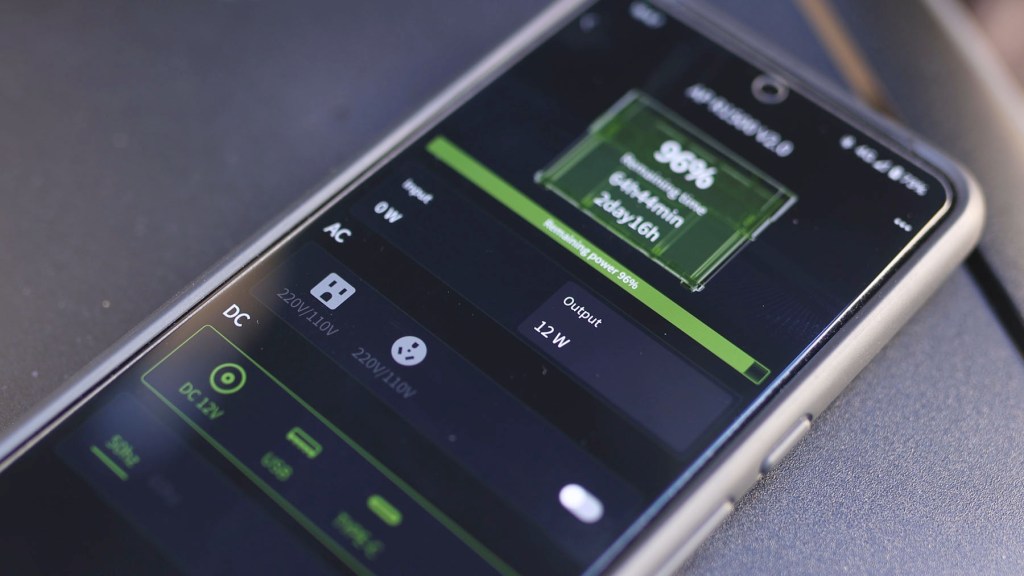
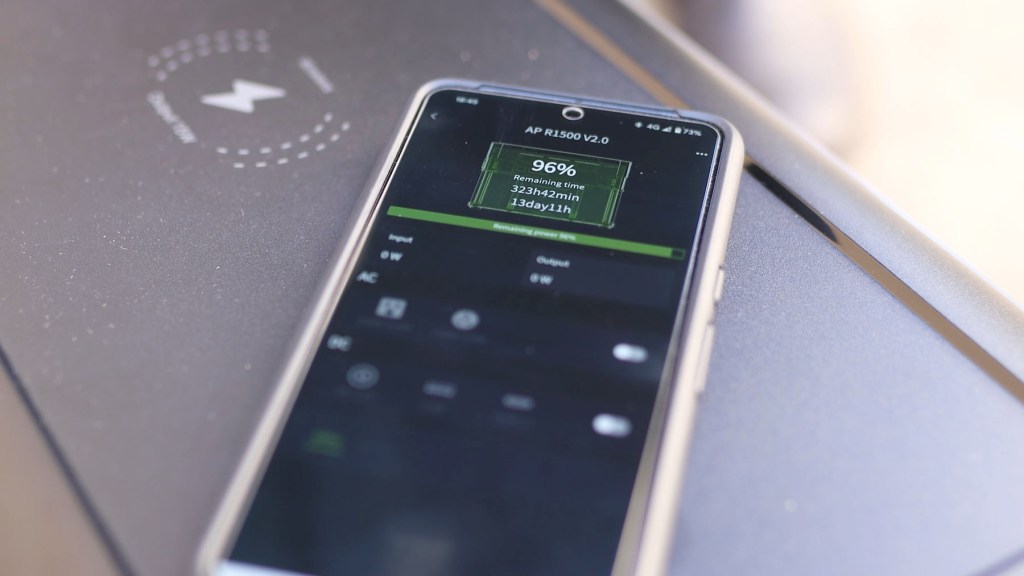
Another great feature is the AllPowers app, which connects to the battery so you can check things like the remaining charge and draw from the battery from a device.
To set this up, first download the AllPowers app from your phone and tablet’s app store and have your battery at the ready.
You have the option of connecting your device to your battery via bluetooth or wifi.

For bluetooth, make sure both the bluetooth of your chosen device and of the power station are turned on. It isn’t immediately obvious how to do this on the power station, but simply hold the ‘DC OUTPUT’ button for 3 seconds until the bluetooth and wifi icon on the screen changes.
Tap the top plus button on the AllPowers app and click the ‘next step’ button, then, once your unit is detected, select it and you’ll be connected.

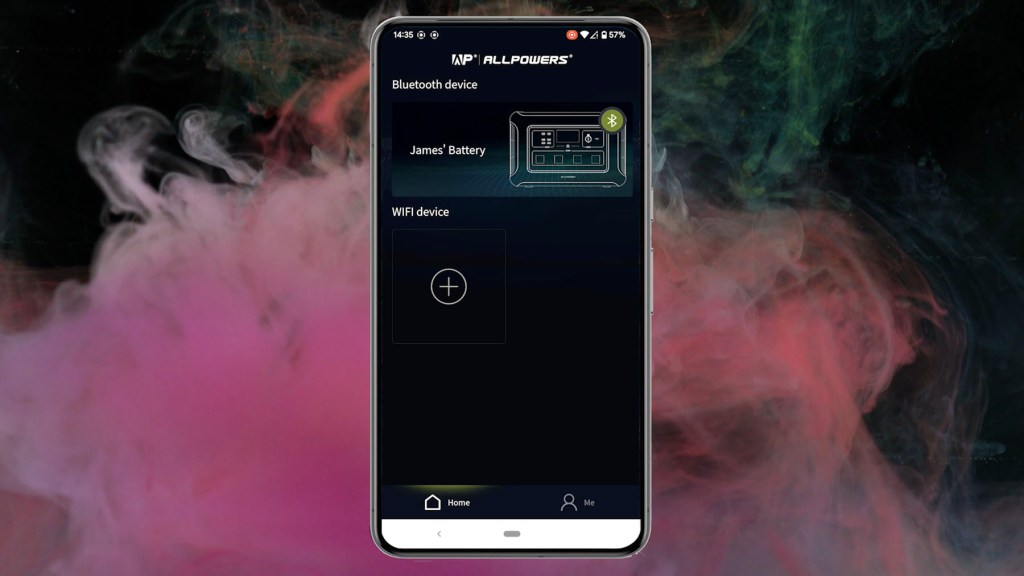
Wifi is a very similar system, except you’ll need to enter your email and be sent a one-time code, then you’ll put in your wifi details. This will likely be a more secure and stable option if you’re using the battery at home, but out in the van I’ll most likely use the bluetooth option.
I did have the signal drop out a few times when trying to connect, but once connected it’s stayed pretty stable. Of course, if you’re next to the battery – as you would need to be for a bluetooth connection – then you could just look at the screen, but you’ll need the app to switch between different modes and settings which you can’t do manually on the power station.
Once in the app, you can immediately see the remaining battery as a percentage, in hours and minutes, and in days and hours.
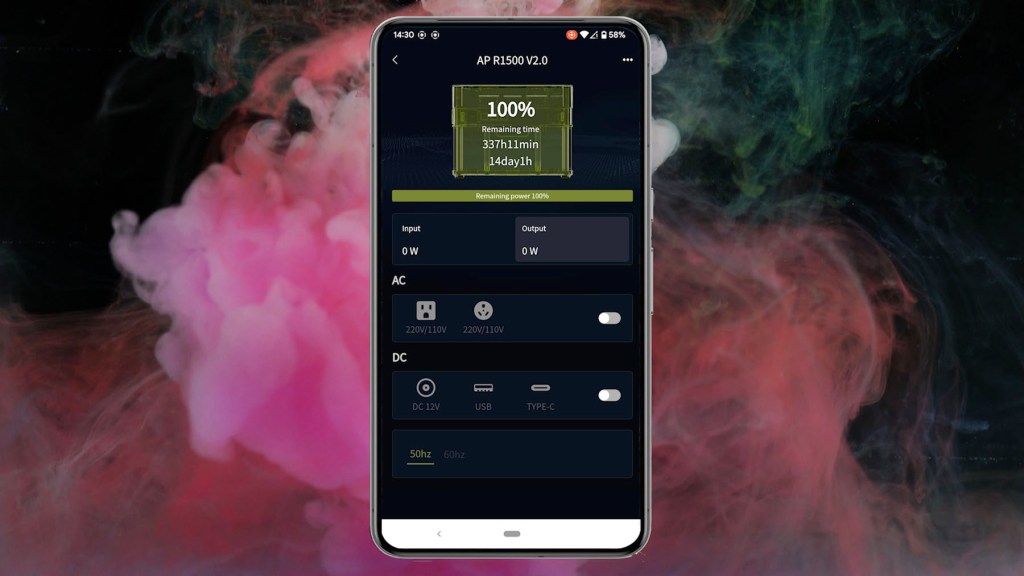
Below that, you can see the live input and output of the power station, then underneath you can switch the AC or DC outputs on or off and you can also switch the AC outputs between 50 and 60 hertz. 50 is standard for the UK, whilst 60 is for the US.
Press 3 dots in the top right corner and you can select the work mode, choosing from standard, mute and fast mode. These are input charging modes, or how fast the power station charges, not the devices you’ll charge with the power station. Mute mode uses self-adjusting technology to a maximum of 400w to prioritise a much quieter charge, with standard mode, which I used to charge my power station earlier, topping out at 1000w and fast prioritising speed over sound level at 1500w.
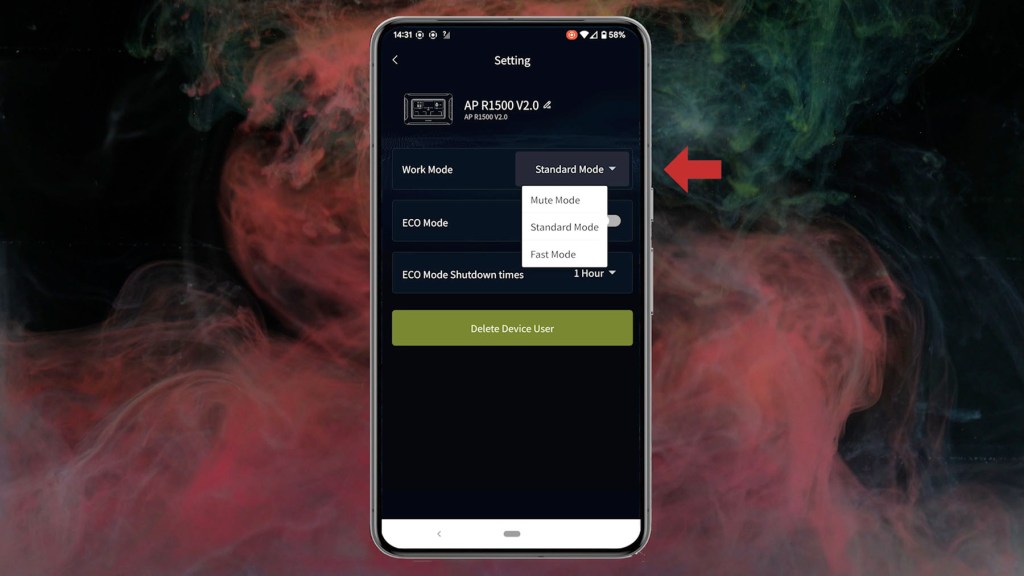
Eco mode optimises the devices you charge so you get the most out of the power station and you can also schedule the power station to shut down after a length of 1, 2, 4, or 6 hours.
And finally, you can personalise the name for your battery!
The AllPowers SP033 200w Folding Solar Panel
Moving on to the solar panel, the SP033 200-watt folding panel is included in this solar generator kit and a panel of this size will be a game changer for anyone, like me, looking to get off-grid in a van.

There are four Polycrystalline Silicon panels to this set-up which, when folded, measure 650 by 151 mm or 25.6 inches by 20.3 inches, and are built into a carry-case, complete with a handle, a high-vis edge and cable storage.

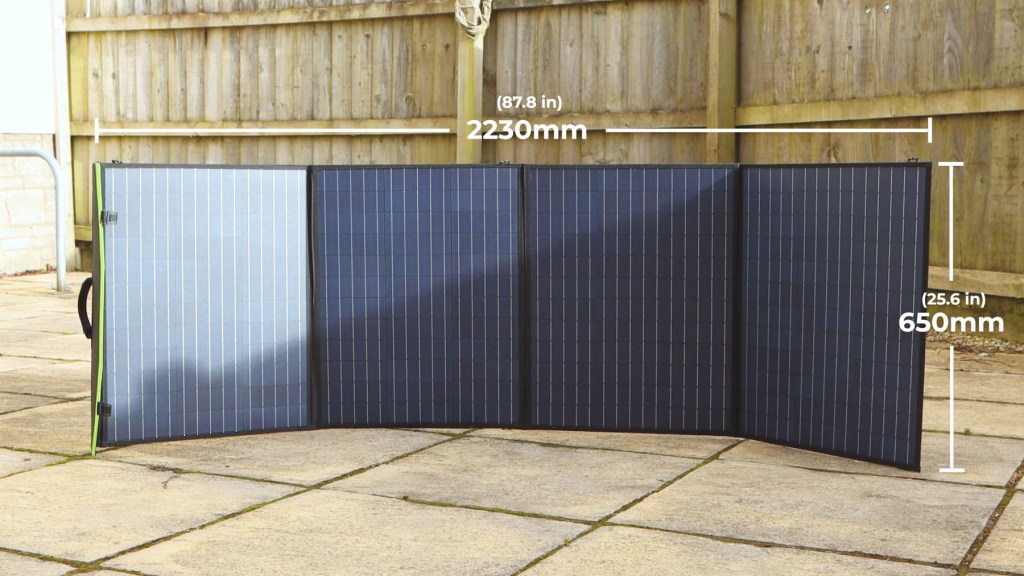
When unfolded, the panels measure 2230 by 630 mm or 87.8 inches by 25.6 inches. Overall the panels weigh 6.3kg or 13.89 pounds and so are very portable.

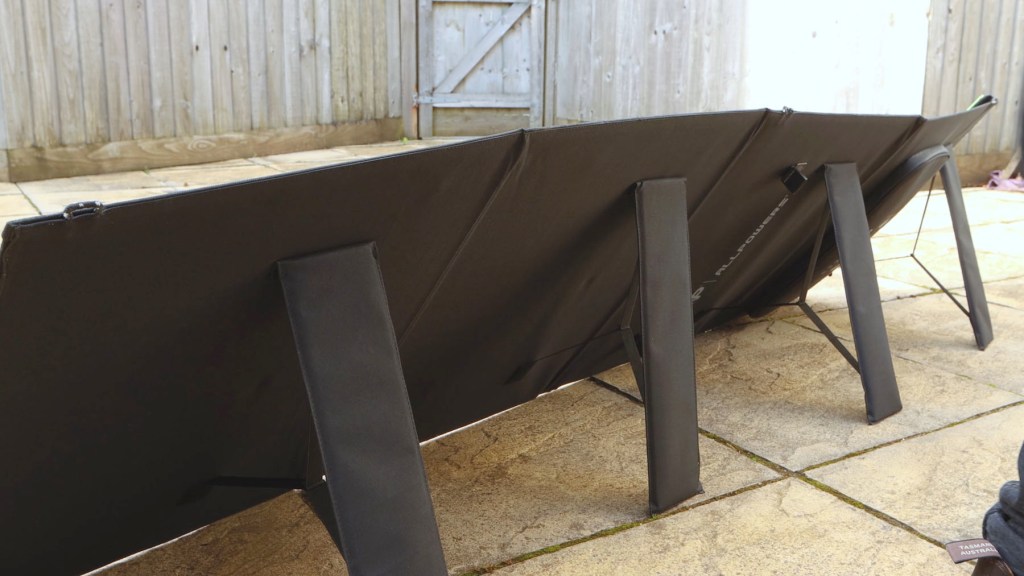
On the back of each panel is a fold-out stand. These are a little flimsy, and I wouldn’t trust them in strong wind, however they will do the job of propping up the solar panel if you don’t have a surface to lean or lay them on.
For connectivity, the solar panels take a male and female MC4 connector which are an industry standard for panels like this. They can also be linked to other solar panels in series or parallel to increase your charging capabilities, with R1500 capable of a maximum charging power of 650 watts. The solar panel set-up is rated to IP66, which is rainproof.

Click to buy your own…

(Affiliate links which help support this blog)
With such common connectors, you can use this solar panel to charge not only AllPowers power stations, but also third-party ones too, providing they have a voltage in rating of 12 to 36v and a maximum current in rating of 10 amps. In addition to Lithium Iron Phosphate batteries such as the R1500, they can also charge deep cycle batteries, including sealed, flooded or gel lead acid batteries and other lithium batteries.
When purchased on its own, the SP033 folding solar panel comes with a number of cables and adapters to make it a really versatile charging option. First is the MC4 to DC5521, then there’s the MC4 to Anderson Cable, next is the MC4 to Alligator Clips with fuse and finally 5 Charging Adapters.

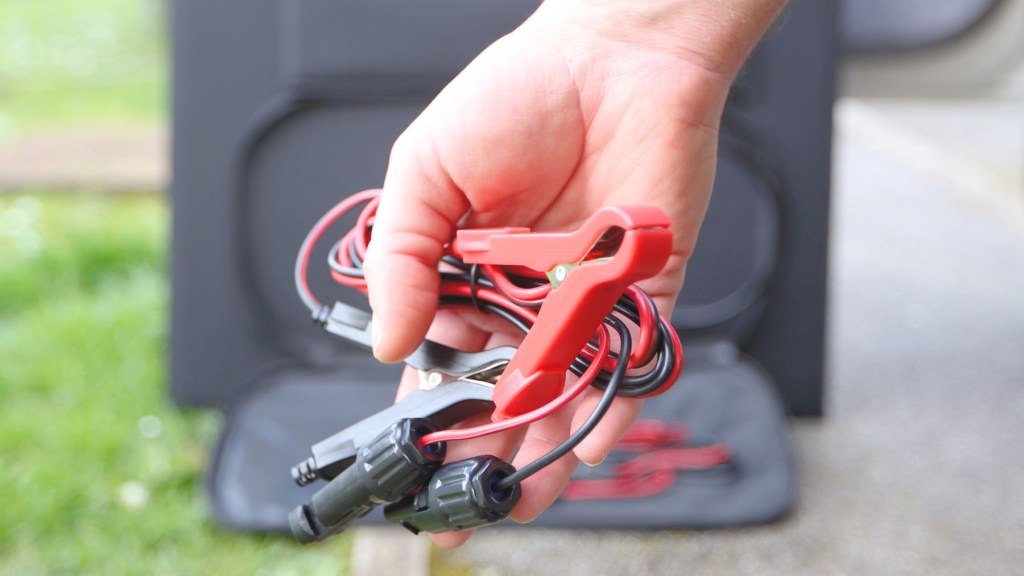
When purchased with the R1500 power station, you’ll get a 1.5m long MC4-XT60 Cable included, which will connect the two together.
Safety Features of the AllPowers R1500
Safety’s a really important consideration when you’re using any electrical equipment.
Should the input current be too high, then the power station will protect itself and an overload protector button under the left hand side cover will automatically pop up. Pressing it in will reset the battery.
Should the output be too high, then the device will immediately cut out and it will beep. Turning the power station on and off again will get rid of the error code on the screen, though if this happens, the device you’ve tried to power exceeds the rated output power of the power station and so can’t be used.


How Much Do the R1500 & SP-033 Cost?
So what will the AllPowers R1500 and SP033 solar panel cost you? The R1500 retails at £969, but can be found online for as little as £600, which is a really competitive price for similar units. The SP033 solar panel retails at £400 but similar deals can be found bringing it under £250, so again a decent price for what you’re getting.
However, if you buy them together as part of a kit, you can get them for £800 at the time of writing. Click any of the affiliate links in this article to buy your own power station, solar panel and relevant cables, which help support this blog, and don’t forget to use the 10% discount code AFJL10 at checkout.
Click to buy your own…
(Affiliate links which help support this blog)
 The Tiny Camper Van