

This article is a written account of a video from the Lens Of James YouTube channel. Watch the video above and subscribe if you like what you see!
This article contains affiliate links to relevant products I have used in my videos. By buying through these links, I receive a small percentage of the sale at no cost to you which helps me support and grow my website and YouTube channel, so I can create more content like this in the future. Thank you for your support.
In this article…
- Introducing the Akeeyo EYES AI Dash Cam
- Unboxing the Akeeyo EYES
- How To Install A Dash Cam
- Installing A Rear View Dash Cam
- Hardware Features of the Akeeyo EYES
- AI & Software Features of the Akeeyo EYES
- Dash Cam Settings
- How To Hardwire A Dash Cam
- Akeeyo Dash Cam App
- Akeeyo EYES 2k Video Quality
- Akeeyo EYES Price
- Should You Buy the Akeeyo EYES Dash Cam?
- Final Thoughts
When it comes to enhancing your driving experience and safety, the Akeeyo EYES AI Dash Cam stands out as a robust solution. With its advanced features, including dual-front facing lenses and sophisticated AI capabilities, this dash cam is designed to provide you with peace of mind on the road. Let’s dive deep into what makes this device a must-have for any vehicle.

Introducing the Akeeyo EYES AI Dash Cam
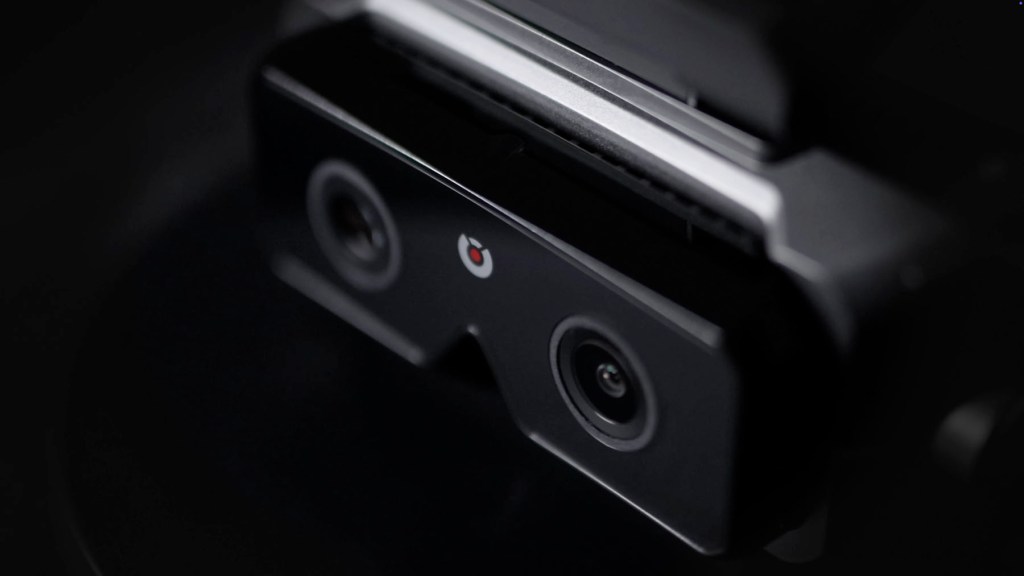
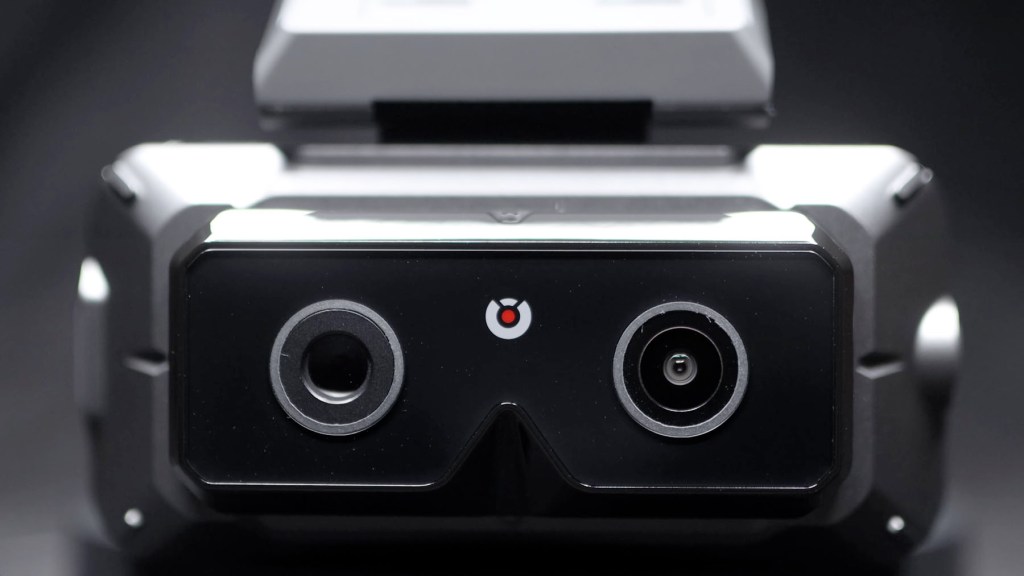
The Akeeyo EYES is not just any dash cam; it’s an advanced AI driving assistant equipped with a unique dual lens system. This three-lens dash cam features both a wide-angle and a telephoto lens facing the road ahead, along with a rear-view camera to cover the back of your vehicle. All this is captured in stunning 2K resolution, ensuring clarity and detail in every frame.

Unboxing the Akeeyo EYES
Unboxing the Akeeyo EYES reveals a well-organized package. Inside, you’ll find two main boxes: one for the front camera and another for the rear camera. The front camera itself has a striking design reminiscent of smart glasses. Upon lifting the lid, you’re greeted with a comprehensive instruction manual in multiple languages, which sets the tone for a user-friendly experience.

Click to buy your own…


(Affiliate links which help support this blog)
Included are static stickers that allow for easy attachment to your windscreen without leaving residue, making it easier to switch between vehicles. The front camera boasts a large screen and several buttons for easy navigation and operation, including a power button and a function button that provides access to settings.
How To Install A Dash Cam
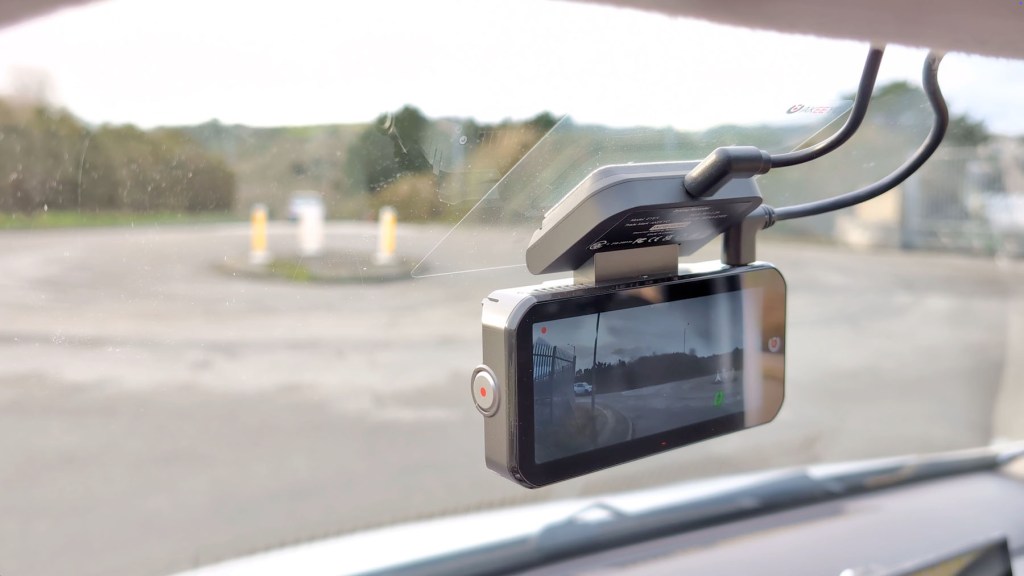
Installing the Akeeyo EYES dash cam is straightforward. Start by ensuring the windscreen is clean. You can either attach the dash cam directly or use the provided static sticker. Once positioned correctly, connect the USB-C power cable, ensuring that it doesn’t obstruct your line of sight. Tucking away the cable in the vehicle’s trim is recommended for a neat installation.
Installing A Rear View Dash Cam
The rear-view camera installation is just as easy. It involves running a long USB-C cable from the rear camera to the front camera, which can be concealed within the vehicle’s trim. Additionally, connecting the camera to the car’s reversing light allows for automatic switching to the reversing camera view when the vehicle is in reverse.
Check out a detailed video on how to wire a reversing camera HERE


Hardware Features of the Akeeyo EYES
The hardware of the Akeeyo EYES is impressive. The dual front-facing lenses offer a wide-angle view of 135° and a telephoto view of 41°, ensuring comprehensive coverage of the road. The rear camera provides an ultra-wide 154° field of view and is IP67 waterproof, making it versatile for various installation scenarios.

Click to buy your own…
(Affiliate links which help support this blog)
The nearly 4-inch IPS touchscreen on the back is bright and responsive, allowing for easy navigation between camera views and settings. A significant feature is the 24-hour parking monitoring, which detects movement and impacts, ensuring that you have recorded evidence of any incidents even when you’re not in the vehicle.
We’re also on Instagram!
Check out yogi.the.van to keep up-to-date with all our adventures in the van!


AI & Software Features of the Akeeyo EYES
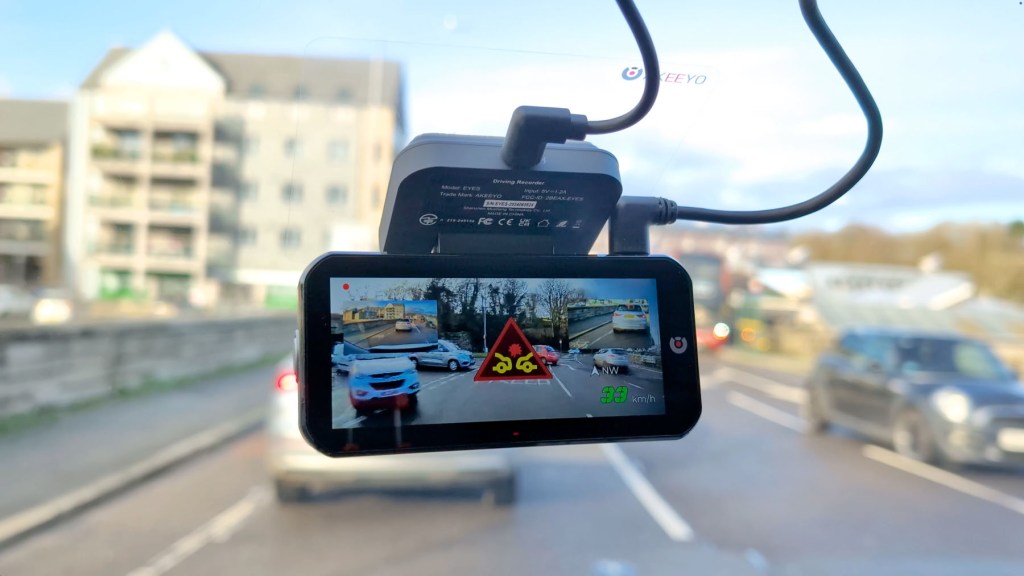
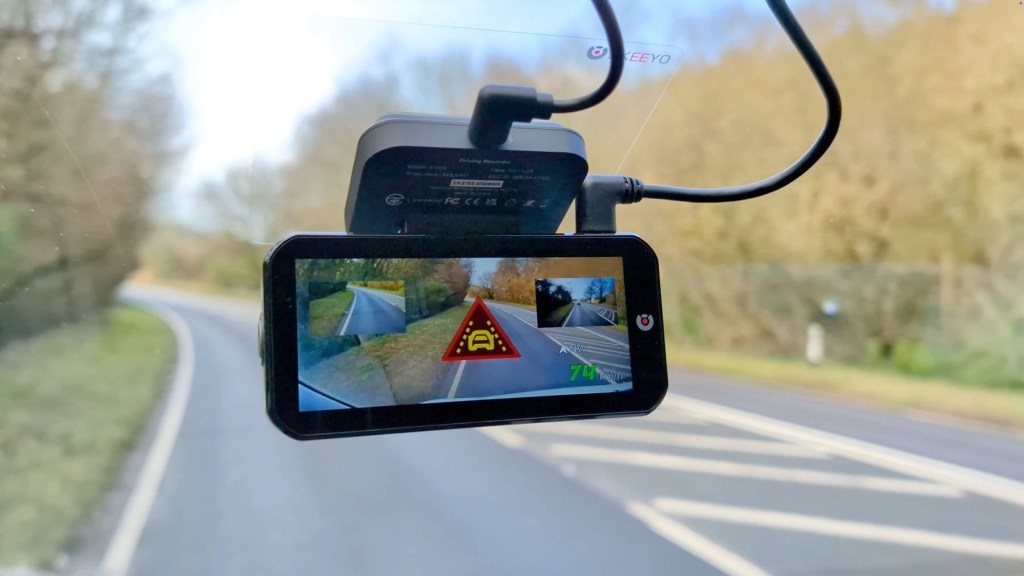
The AI capabilities of the Akeeyo EYES are a game changer. With Advanced Driver Assistance Systems (ADAS), this dash cam provides several crucial features such as pedestrian detection, lane departure warnings, and forward collision warnings. These features work seamlessly to monitor surroundings and alert drivers of potential hazards, significantly enhancing safety on the road.
The voice command functionality is another standout feature. You can control the dash cam hands-free by issuing commands like “open Wi-Fi” or “lock video,” keeping your focus on driving.
Dash Cam Settings
The settings menu is intuitive and allows users to customize their experience. From adjusting video resolution to toggling AI features on or off, you have full control over how the dash cam operates. The device supports micro SD cards up to 256GB, providing ample storage for video footage.
Click to buy your own…
(Affiliate links which help support this blog)
How To Hardwire A Dash Cam
For those interested in the 24-hour parking monitoring feature, hardwiring the dash cam to your vehicle’s power source is essential. This involves connecting the dash cam to the vehicle’s fuse box, ensuring that it receives constant power without draining the battery. Akeeyo provides a hardwire kit that simplifies this process, making it accessible even for those new to car modifications.
Check out a detailed video on how to hardwire a dash cam to your vehicle HERE
Akeeyo Dash Cam App
The Akeeyo app enhances the functionality of the dash cam by allowing users to view footage and adjust settings remotely. Connecting the app is easy, and once set up, you can access live video feeds and recorded footage directly from your smartphone, providing convenience and flexibility.
Akeeyo EYES 2k Video Quality
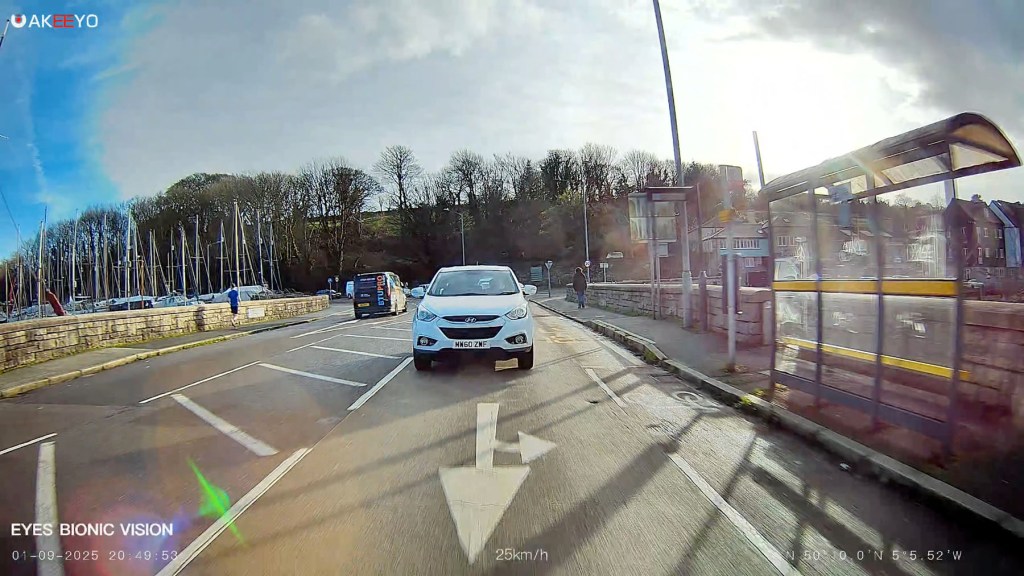
When it comes to video quality, the Akeeyo EYES does not disappoint. The 2K resolution captures sharp details, making it easy to read number plates and signs. This clarity extends to night-time driving, where the dash cam performs admirably, ensuring that important details are still visible.


Akeeyo EYES Price
The Akeeyo EYES is priced at around £340 or $360. While it may not be the cheapest option on the market, the combination of advanced features and high-quality hardware justifies the investment. Plus, there are often discounts available, making it worth checking for competitive prices.
Click to buy your own…
(Affiliate links which help support this blog)
Should You Buy the Akeeyo EYES Dash Cam?
In conclusion, the Akeeyo EYES AI dash cam is a fantastic option for anyone looking to enhance their driving safety and experience. With its dual-lens system, robust AI features, and user-friendly installation, it’s a solid investment. Whether you’re a rideshare driver or simply want peace of mind on the road, the Akeeyo EYES offers an impressive array of features that can help you stay safe and informed.
Don’t forget, if you’re interested in purchasing the Akeeyo EYES, there are affiliate links available that can help support further reviews and insights. With no subscription required for its features, the Akeeyo EYES is a smart choice for modern driving needs.
Final Thoughts
The Akeeyo EYES AI dash cam is more than just a recording device; it’s an essential tool for modern drivers. With its cutting-edge technology, comprehensive coverage, and ease of use, it sets a new standard in the dash cam market. If you’re serious about your safety on the road, investing in this dash cam is a decision you won’t regret.
Click to buy your own…
(Affiliate links which help support this blog)
 The Tiny Camper Van