

This article is a written account of a video from the Lens Of James YouTube channel. Watch the video above and subscribe if you like what you see!
This article contains affiliate links to relevant products I have used in my videos. By buying through these links, I receive a small percentage of the sale at no cost to you which helps me support and grow my website and YouTube channel, so I can create more content like this in the future. Thank you for your support.
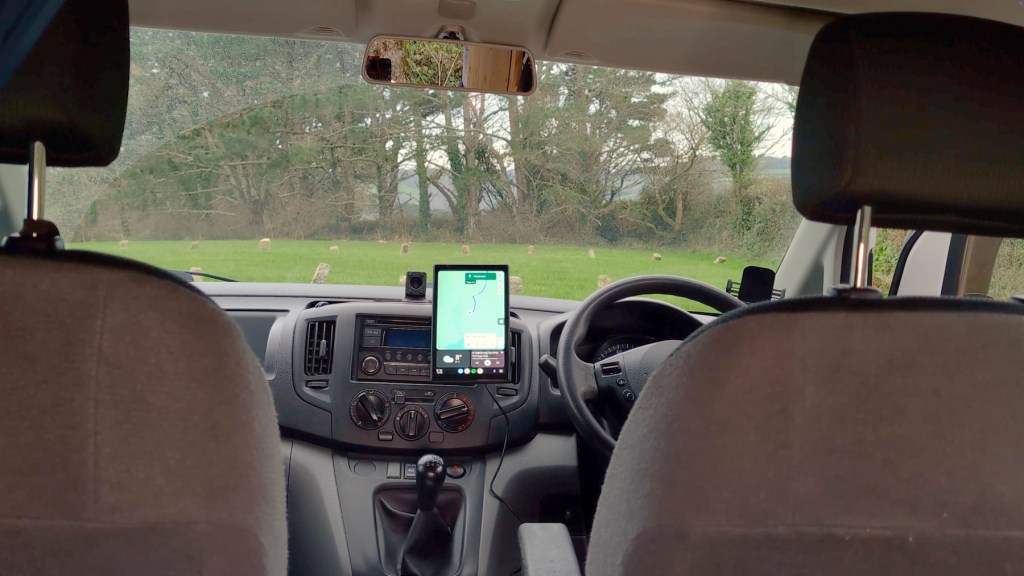
The Eonon P5 is an innovative Android Auto and CarPlay dashboard touchscreen that promises to elevate the tech experience in any vehicle. One standout feature is its ability to be used vertically, similar to modern smart cars. With an impressive 8.95-inch 1280×800 IPS display, the P5 offers multiple music playback options, including Bluetooth connectivity that seamlessly integrates with built-in steering wheel controls.

If you’re searching for a high-quality screen that boasts a clean interface and includes a reversing camera, the Eonon P5 is certainly worth your consideration. I’ve had a positive experience with it, and while Eonon kindly provided the P5 for this discussion, all opinions expressed are entirely my own.
You can get one using the affiliate links through throughout this article, and use code LOJ10 to get a discount on your P5 order from the Eonon website.
Unboxing the Eonon P5
The P5 arrives in a well-designed box. Upon opening, you’ll find the console prominently displayed at the top. The screen is sleek, measuring 8.95 inches and featuring a glossy finish with a thin bezel. The microphone is conveniently located in the top right corner.
Flipping the unit over reveals the mounting points for attaching the screen to your vehicle. On one side, there’s a power button, which allows for a short press to put the screen to sleep and a long press to power it on or off. On the other side, you’ll find several ports:
- A USB-C port for powering the device with the included cable.
- A 2.5mm port for connecting the rear camera.
- A Micro SD card slot for software updates and customizing the boot screen (not for recording footage).
- A 3.5mm AUX port for wired audio connections.
Click to buy your own…


(Affiliate links which help support this blog)
Additionally, there’s a reset button and a 1.5W speaker on the back. The package also includes various accessories:
- A 12-volt USB-C cigarette lighter power adapter with a 3m long cable.
- A suction cup mount for dashboard or windscreen attachment.
- A flexible metal bar with a sticky pad and magnetic attachment point.
- A backup camera with 1080p full HD quality and a 170° ultra-wide field of view.
- A trim removal tool for cable management.
- Sticky back cable tidying clips and a user manual.


Installation Process
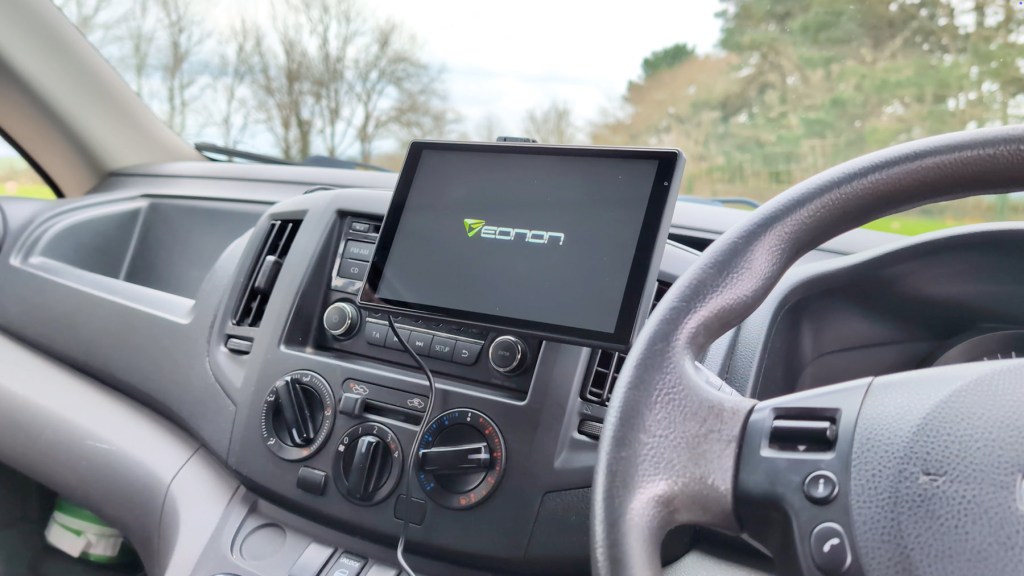
Installing the Eonon P5 is straightforward. First, choose your preferred mounting option. If you opt for the suction cup mount, ensure it’s firmly attached to your chosen location. The screen can then be slotted onto the mounting pins, allowing you to adjust it to your desired height and tilt, whether in landscape or vertical orientation.
For the magnetic dashboard mount, find a suitable spot, attach it, and adjust to your preferred angle. Once mounted, connect the USB-C cable to the screen and plug the 12-volt end into your vehicle’s cigarette lighter. Tuck any excess cables into the edges of your vehicle using the provided trim tool, ensuring nothing obstructs your view or airbags.

Powering Up the P5
Once everything is connected, turning on your vehicle will power the screen, which takes around 10 seconds to boot up. The initial setup is minimal; simply select your language, and you’re ready to go. If you’re keen on using the vertical mode, you can do so easily via a button on the screen.
Click to buy your own…
(Affiliate links which help support this blog)
We’re also on Instagram!
Check out yogi.the.van to keep up-to-date with all our adventures in the van!


Exploring the Features
The Eonon P5‘s interface is user-friendly, with various apps and settings to explore. The bottom menu includes:
- A power button to darken the screen.
- A brightness slider for adjusting screen brightness.
- Connection options for CarPlay, Android Auto, AirPlay, and Bluetooth music.
- A volume slider.
- An orientation button for switching between landscape and vertical modes.
Click to buy your own…
(Affiliate links which help support this blog)
From the homepage, you’ll find music controls, shortcuts to connection options, and various audio output methods:
- Speaker: Plays sounds through the built-in speaker.
- Bluetooth audio: Connects to your car’s Bluetooth for music playback.
- FM: Plays music via your car radio.
- AUX: Wired audio playback using the included 3.5mm AUX cable.
Customising Your Experience
The settings menu allows further customization, including:
- Turning reminder tones on or off.
- Setting screen saver options.
- Adjusting auto-dimming settings.
- Changing wallpapers.
- Accessing assistive touch features.
If you have the reversing camera installed, additional options become available, such as image mirroring and adjusting reversing lines for better visibility.

Connecting to CarPlay and Android Auto
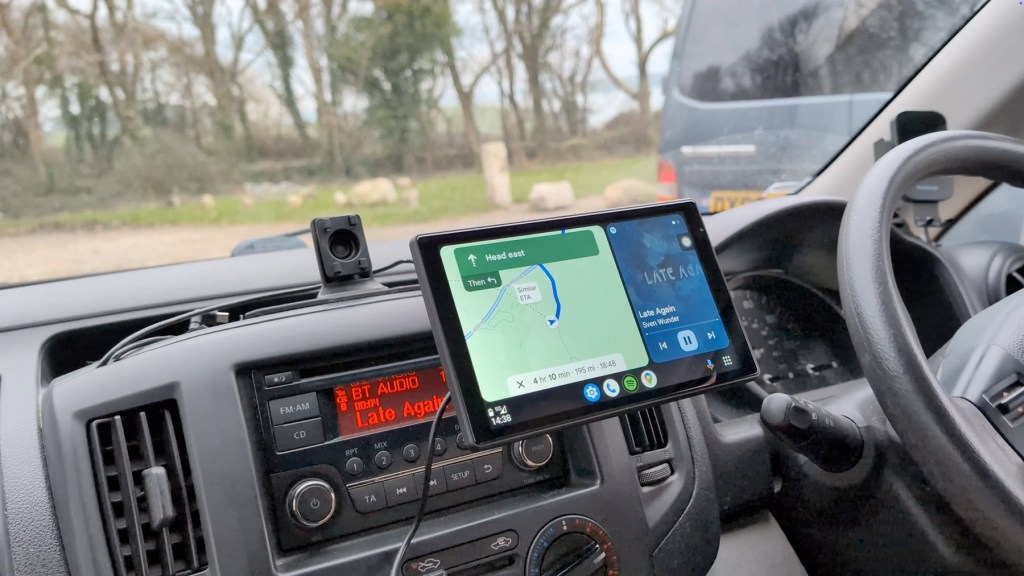
One of the main attractions of the Eonon P5 is its compatibility with CarPlay and Android Auto. Connecting is a breeze: simply tap the desired option on the screen and search for new Bluetooth connections on your phone. Once connected, the P5 will pull data from your phone, allowing you to navigate, play music, and receive notifications in a safe, hands-free manner.
Using the vertical orientation, the map takes up most of the screen, with music controls at the bottom. You can easily switch between apps, and both systems integrate seamlessly with the P5.
Click to buy your own…
(Affiliate links which help support this blog)
Backup Camera Integration
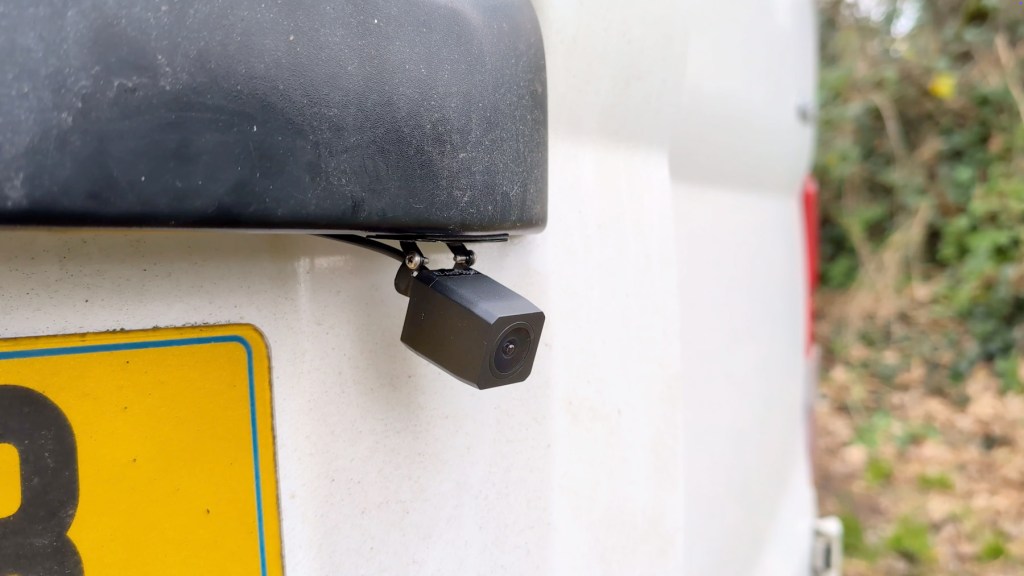
The Eonon P5 also supports a full HD 1080 170° rear view camera, providing a clear image for reversing and parking. To set this up, connect the red wire from the camera to your vehicle’s reversing light wire. This allows the P5 to display the camera feed when the car is in reverse. The camera can be adjusted for the right angle, and reversing lines can be set up in the settings for added assistance.

Pricing and Conclusion
The Eonon P5 retails for approximately £90 or $100, making it an affordable option for those looking to upgrade their car’s tech. Given its quality display and versatile mounting options, it’s a strong contender in the market. With the added functionality of vertical use and a flexible magnetic mount, it offers a unique experience that is hard to find elsewhere.
Overall, I’ve been thoroughly impressed with the P5’s performance and quality. If you’re interested in enhancing your vehicle’s technology, this device is definitely worth considering. Don’t forget to check out the links for the best pricing and use the code LOJ10 for a discount on your order.
Thank you for reading, and I hope you found this information helpful!
Click to buy your own…
(Affiliate links which help support this blog)
 The Tiny Camper Van