

This article is a written account of a video from the Lens Of James YouTube channel. Watch the video above and subscribe if you like what you see!
This article contains affiliate links to relevant products I have used in my videos. By buying through these links, I receive a small percentage of the sale at no cost to you which helps me support and grow my website and YouTube channel, so I can create more content like this in the future. Thank you for your support.
In this article…
- An Introduction To The Mac Mini M4
- Mac Mini M4 Build & Connectivity
- Mac Mini M4 Chip & Configuration Options
- Mac Mini M4 Pro Chip & Configuration Options
- Mac Mini M4 Performance
- Mac Mini m4 Displays & Connectivity
- Should You Upgrade To The Mac Mini M4?
- Mac Mini M4 Cost & Value
- Apple Intelligence & Mac Mini M4
- Apple’s Mac Mini Are Carbon Neutral
- Is The Mac Mini M4 For You?
An Introduction To The Mac Mini M4
Apple’s new Mac Mini has just been released and includes not only the latest M4 and M4 Pro chips, but also – most surprisingly – it’s had its first design update in 14 years!
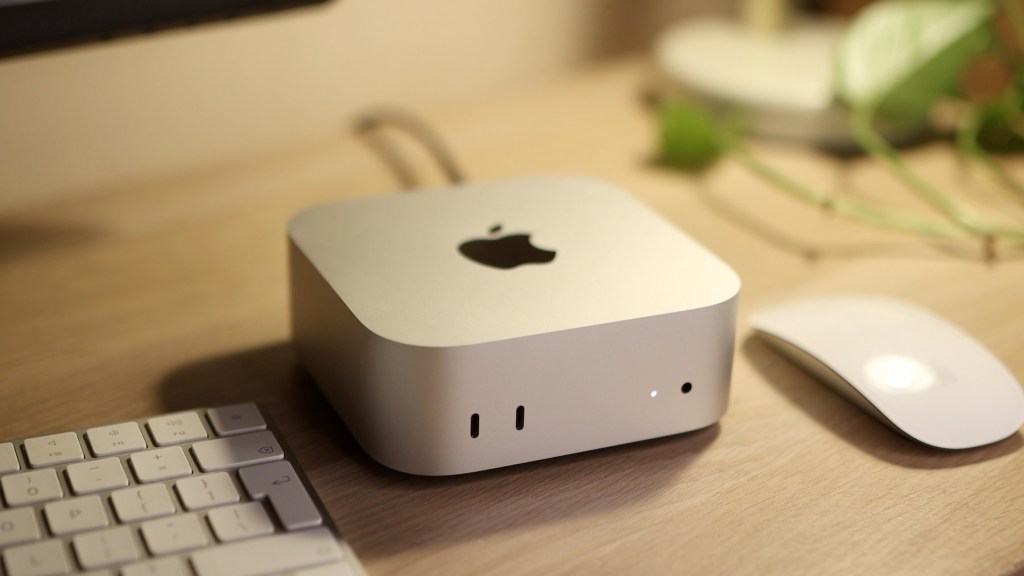
I’ll be going over everything you need to know about this exciting new bit of kit, including how it compares to the previous M1 and M2 models, whether it’s worth the upgrade and what the new addition of Apple Intelligence into their products actually means.
Firstly, if you’re new to mac mini’s and wondering what they’re all about, all you need to know is they’re a mini desktop computer and have proven themselves to be very powerful and capable over the years. They also last a very long time and I used my first one for nearly 10 years! They’re also the cheapest way to get into Apple’s macOS ecosystem but don’t come with a screen, keyboard or mouse, so you can add a fancy Apple screen, or a cheaper third party one.


Check out the affiliate links ithroughout the article to get one for yourself, but otherwise below let’s get started!

Click to buy your own…

(Affiliate links which help support this blog)
Mac Mini M4 Build & Connectivity
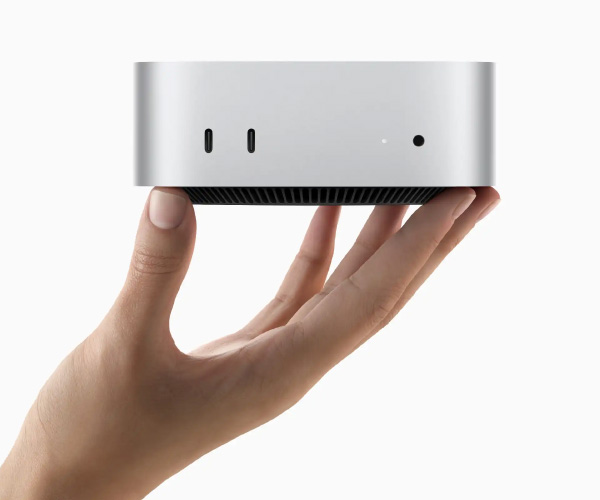
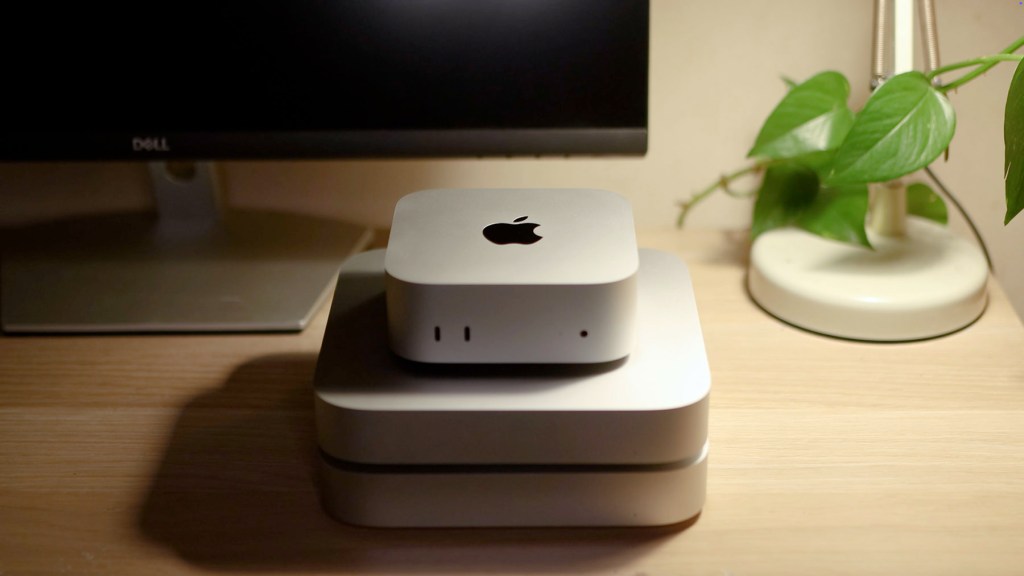
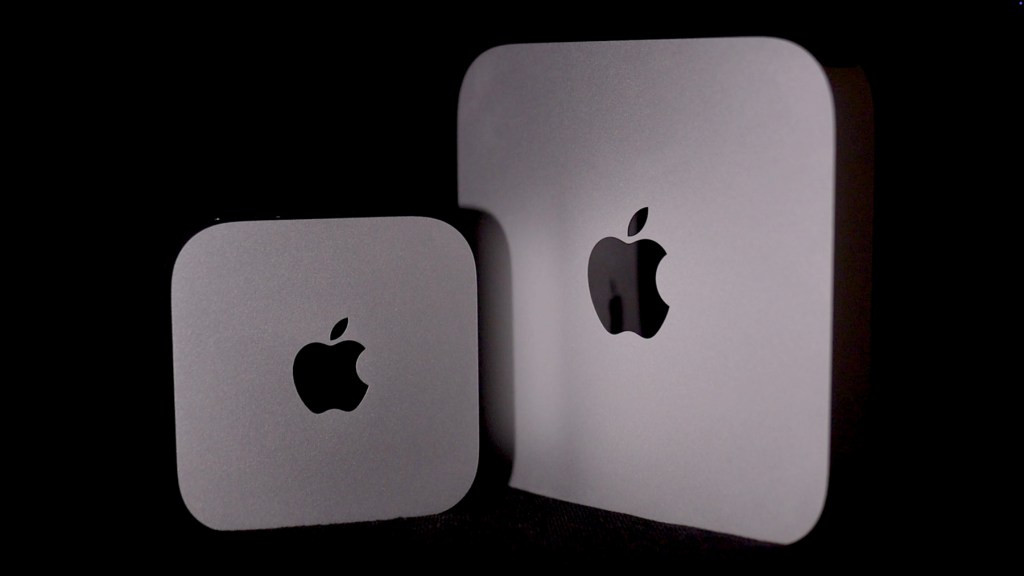
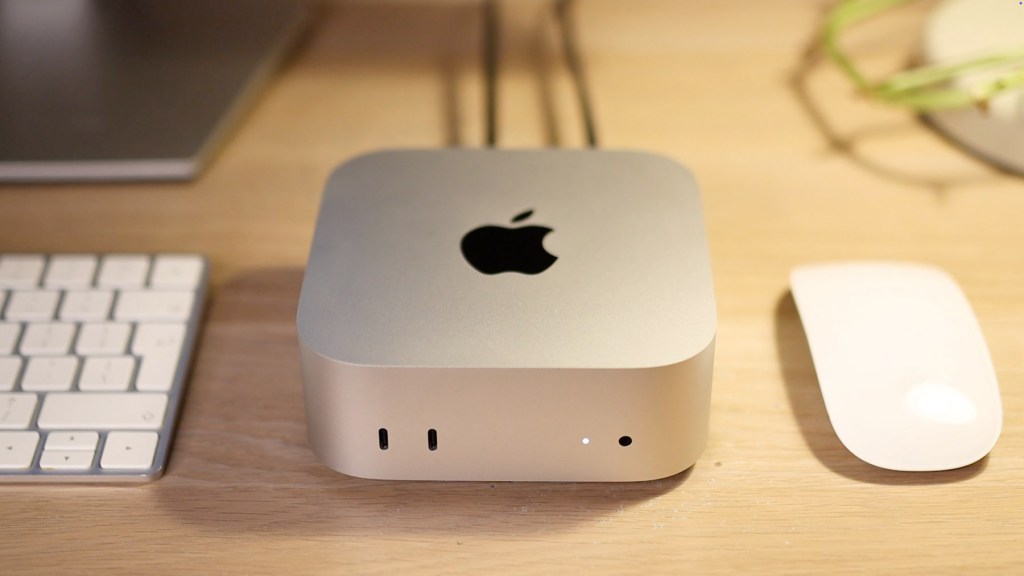
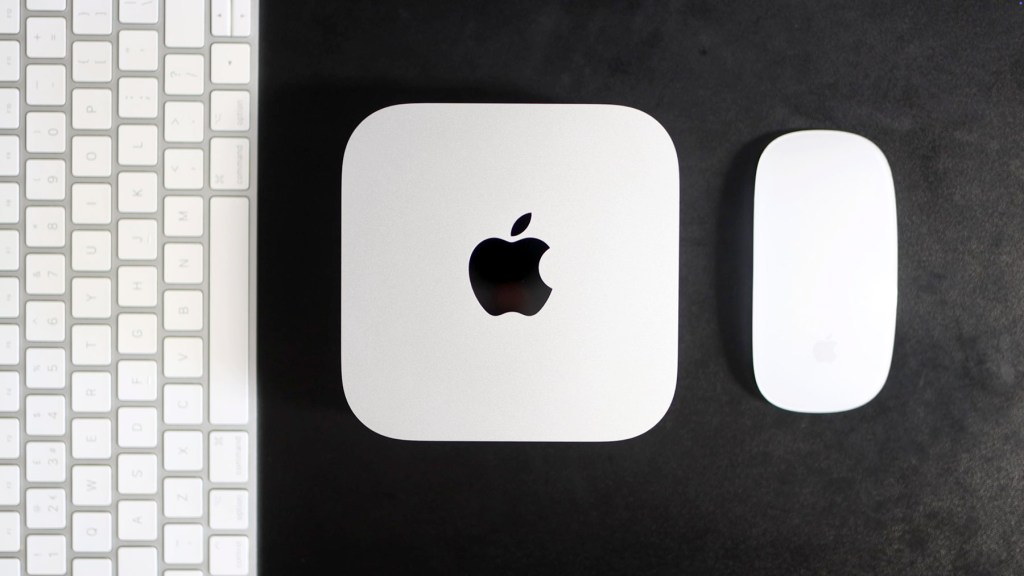
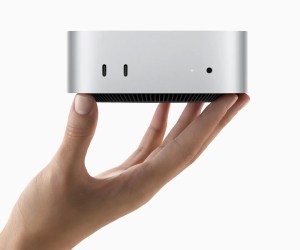
Undoubtedly the most striking difference for this Mac Mini is its size. It sits slightly taller than the previous design but has a much smaller footprint, measuring just 12.7 by 12.7cm which is around half the old models.
It’s quite unbelievable just how small the Mac Mini is, with Apple claiming it’s 20 times smaller than conventional computers.
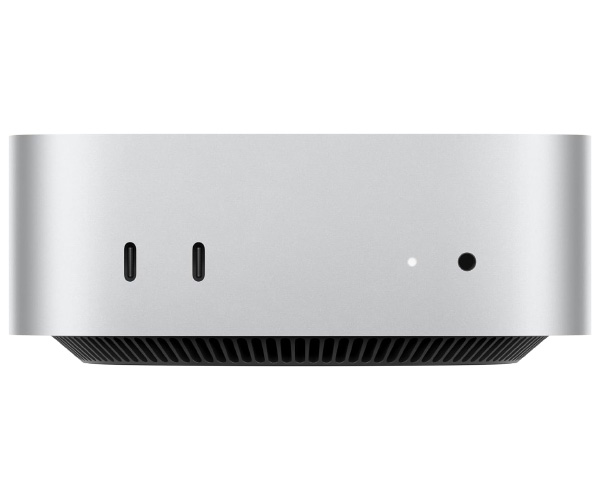
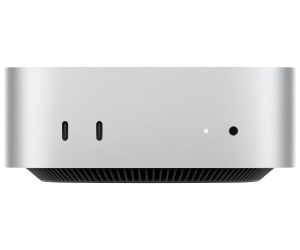
Another fundamental change is the layout of the ports. Unlike the prior design we know so well, this new model houses two USB-C ports on the front, both supporting USB 3.0, as well as a headphone jack which is a very practical position.
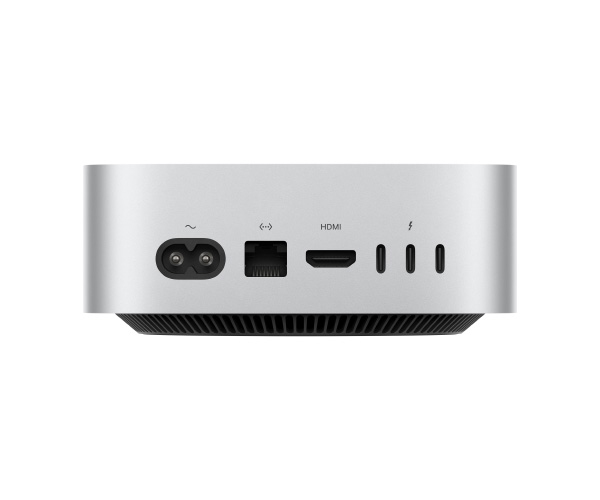
On the back, there’s the power input, with a cable supplied in the box. Next to it sits the ethernet port, then a standard HDMI port to connect a display, and 3 thunderbolt 4 ports.
So despite the loss of USB-A ports, there are 5 ports that will accept either USB-C or thunderbolt, however if you buy a version with the M4 Pro chip then you’ll get upgraded to 3 thunderbolt 5 ports on the back, which is a new standard that has only recently been announced.
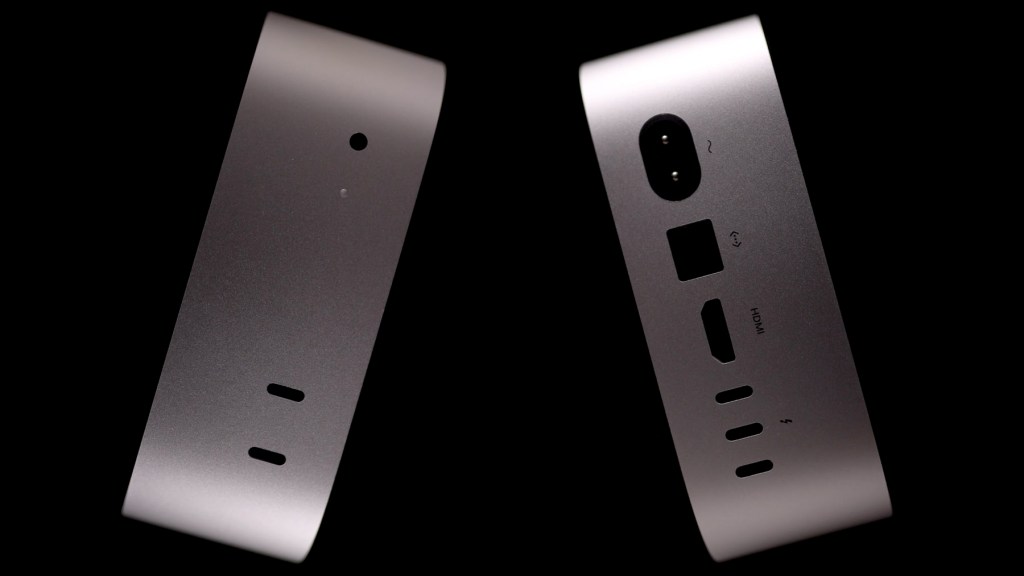
The one thing which perhaps isn’t so practical however, is the position of its power button.
Turn the Mini over and next to the circular air vent is the button in question, so you’ll have to turn the mini over or lift it up and reach under to power it on.
I’m not sure why Apple would choose to do this – perhaps they don’t think people turn their devices off regularly and just put them to sleep – but it certainly feels reminiscent of the Magic Mouse which seems destined to always have an inconvenient underside charging port.

I’ve seen a few ingenious 3d printed accessories to solve this issue but if, like me, you mount your mini on the back of your screen or under your desk to save space, then it probably won’t be too much of an issue.
As it’s still early days for M4 Mac Mini mounts, I grabbed this adjustable one off Amazon and I’ll leave a link to it in the description below if you’re interested.
Nevertheless whilst the power button is awkward, it isn’t a deal-breaker and sometimes you just have to accept these things when the rest of the product is so good.
Click to buy your own…

(Affiliate links which help support this blog)
Mac Mini M4 Chip & Configuration Options
As usual, Apple has provided the option of building your Mac Mini M4 with a number of different configurations, starting with the cheapest base model which I have here, though all the models have the same design and number of ports so you can’t actually tell them apart.
This base model has got the M4 chip with 16gb of unified memory – up from a minimum of 8gb on previous models – and a 256gb SSD for storage.

Unified memory was introduced by Apple in 2020 when they moved away from Intel chips. It means the CPU and the GPU use the same bank of memory instead of the GPU having its own separate memory, making the system much more efficient. And if you’re wondering why I’m not mentioning an M3 chip in this video, it’s because Apple never released an M3 chip in the Mac Minis.
All the Mac Mini M4 chip configurations feature a 10-core CPU, 10-core GPU, 16-core Neural Engine and gigabit ethernet.
You can upgrade the storage from the base 256gb SSD all the way up to a 2TB, the unified memory from 16 up to 32GB and the ethernet can be upped to 10 gigabit.
We’re also on Instagram!
Check out yogi.the.van to keep up-to-date with all our adventures in the van!


Mac Mini M4 Pro Chip & Configuration Options
Apple has also introduced an M4 Pro chip, which offers a significant improvement on the M4.
There are two set-up options for the Pro chip; the first has a 12-core CPU, 16-core GPU and 16-core neural engine and the second has 14-core CPU, 20-core GPU and 16-core neural engine.
Both of these are configurable with 24 48 or 64gbs unified memory and from 512gb up to a massive 8tb in SSD storage, whilst the gigabit ethernet can also become 10 gigabit if you wish.
This beefier setup translates as superior performance for high-power applications such as gaming, 3D rendering and video editing.
And in case you’re interested, adding all the upgrades to the M4 Pro chip will come to an eye-watering 4699 pounds or dollar.
Click to buy your own…
(Affiliate links which help support this blog)
Mac Mini M4 Performance
So how does the M4 compare with Apple’s previous Mac Minis powered by the Apple Silicon M1 and M2 chips?
For reference, the M1 chip had an 8-core CPU and an 8-core GPU, while the M2 chip was an improvement with an 8-core CPU and a 10-core GPU.
However, the M4 takes this further, providing improved CPU speeds and GPU capabilities, making it more powerful than the M2.
In terms of numbers, Apple estimates the M4’s CPU is about 1.8 times faster and the GPU is 2.2 times faster than the M1.
Compared to the M2, the in the M4 has also been boosted by 20%, up to 120 GB/s, which means data-heavy applications will run more smoothly. This upgrade is particularly noticeable in tasks like video editing, which I’m already seeing the benefit of putting this video together.
However, the M4 chip’s real strength is its upgraded Neural Engine, with Apple saying the Neural Engine in M4 Pro is three times faster than the one in the M1. This means tasks involving machine learning or AI-based processes will be quicker and more efficient.
And just for an external comparison, tests are showing the M4 chip to be outperforming Intel’s 14th generation i9 chip, which is a really impressive benchmark.
Mac Mini m4 Displays & Connectivity
Another big highlight of the M4 Mac Mini lineup is display support. Impressively, the M4 base model can drive up to three displays, two 6k and one 5k via thunderbolt whilst the M4 Pro can handle three 6k displays, which is ideal for creative professionals who work with high-res visual content.
As mentioned earlier, you’re only getting the Mac Mini and not a screen when you buy it, so you’ll need to splash out more cash or a screen but it gives you flexibility to choose one which suits your needs and budget.
Should You Upgrade To The Mac Mini M4?
Now, let’s tackle the big question—if you already have an M1 or M2 Mac Mini, is it worth upgrading to the M4?
If you’re an M1 user like me, this upgrade is very appealing, given the substantial gains in CPU and GPU power. The M4’s 1.8x CPU performance and 2.2x GPU performance increases, plus the larger memory capacity starting at 16 GB, make this a solid choice for anyone needing a bit more speed and multitasking capability and I certainly noticed a difference from the moment I turned it on.
For those with an M2 Mac Mini, the decision is a little tougher. While the M4 does offer more memory bandwidth and improved Neural Engine performance, the jump from an M2 Pro chip to the M4 chip probably wouldn’t be worth it. Upgrading from the M2 Pro to the M4 Pro would be a lot more noticeable, especially thanks to the enhanced Neural engine which looks to improve AI and machine learning tasks.
The M4’s neural engine can apparently handle 38 trillion operations per second, up from the M1’s 11 trillion and the M2’s 15.8 trillion.
Mac Mini M4 Cost & Value
The Mac Mini has always been the cheapest way to get onto Apple’s ecosystem and there was a worry when specs for the M4 model began leaking that the improvements in performance would mean it lost its lower price tag.
Thankfully, Apple has kept the M4 Mac Mini at a really good price point.
The M4 base model starts at £599 or $699, which remains very competitive for the amount of performance and functionality it offers.If you add all the upgrades however, your 32Gb, 2Tb 10 gigabit M4 Mac Mini will cost you 1899 pounds or dollars.
Apple’s M4 Pro configuration starts at £1399 and tops out at £4699.
At those price points, you may be starting to look towards the Mac Studio, which contain the M2 Max and M2 Ultra chips.
For many users including myself, the base model will more than see needs met and exceeded for both home and office use, with a great balance of price to performance.
Click to buy your own…

(Affiliate links which help support this blog)
Apple Intelligence & Mac Mini M4
An additional feature announced just prior to the M4 chips is Apple Intelligence, Apple’s suite of generative AI capabilities which is being integrated across Apple’s ecosystem, including iPhone, iPad, iMacs and Mac Minis.
It’s available from December 2024 through their latest operating system and runs on Apple Silicon, which means that if you upgrade your M1 or M2 Mac Mini to macOS Sequoia, released in September 2024, then you can also access Apple Intelligence.
Assuming Apple Intelligence is a play on Artificial Intelligence and could also be abbreviated to AI, the capabilities include;
- Enhanced Siri Integration, offering more natural and flexible interactions
- Integration with ChatGPT
- Privacy and On-Device Processing, meaning it isn’t necessary to send your personal data to the cloud,
- Writing and Communication Tools including rewriting, proofreading, and summarising text
- And Image and Video Creation
It’ll be really exciting to see how Apple Intelligence improves workflow, creativity and day-to-day use on the Mac Minis and if you’re interested in trying it before December, then it’s available in beta at the time of writing.
Apple’s Mac Mini Are Carbon Neutral
Another interesting announcement from Apple regarding the new Mac Mini line up is that it’s the first carbon neutral mac.
It’s designed with more that 50% recycled materials, made with electricity sourced from 100% renewables and 50% of the mac minis have even been shipped using low-carbon methods.
Whilst it’s undoubtedly a good thing and nice to know this, I think it’s probably a drop in the ocean compared to Apple’s impact on the planet over the years.
Is The Mac Mini M4 For You?
To wrap things up, the Mac Mini M4 is a powerhouse in a small package, with plenty of memory and display support options, impressive CPU and GPU boosts on previous models, and the power to handle almost any task you throw at it.
The base model alone is more than enough for general users and it’s great to see it offers a noticeable improvement over the M1 and M2 models, especially in memory capacity and Neural Engine speeds.
If you need even more, the M4 Pro offers incredible expandability, with advanced graphics options and support for more displays and memory. It’s a powerful setup that makes the Mac Mini lineup even more competitive in today’s market.
Let me know in the comments what you think about the new Mac Mini M4—would you upgrade?
Click to buy your own…
(Affiliate links which help support this blog)
 The Tiny Camper Van