
This article is a written account of a video from the Lens Of James YouTube channel. Watch the video above and subscribe if you like what you see!
This article contains affiliate links to relevant products I have used in my videos. By buying through these links, I receive a small percentage of the sale at no cost to you which helps me support and grow my website and YouTube channel, so I can create more content like this in the future. Thank you for your support.
In this article…
- Introducing the DJI Neo Drone
- Unboxing the DJI Neo drone
- Fly It From Your Hand & AI Flight Modes
- Four Ways To Fly The Drone
- Mobile App Control With The DJI Fly App
- RC-N3 Remote Control
- Intelligent Flight Modes
- DJI Goggles 3 & RC Motion 3
- Fly More Combo & Accessories
- Image Quality
- Flying Legally With The DJI Neo
- Final thoughts on how to hardwire a device into your vehicle
Introducing the DJI Neo Drone
The DJI Neo is finally here and I’m very excited to have my hands on one.
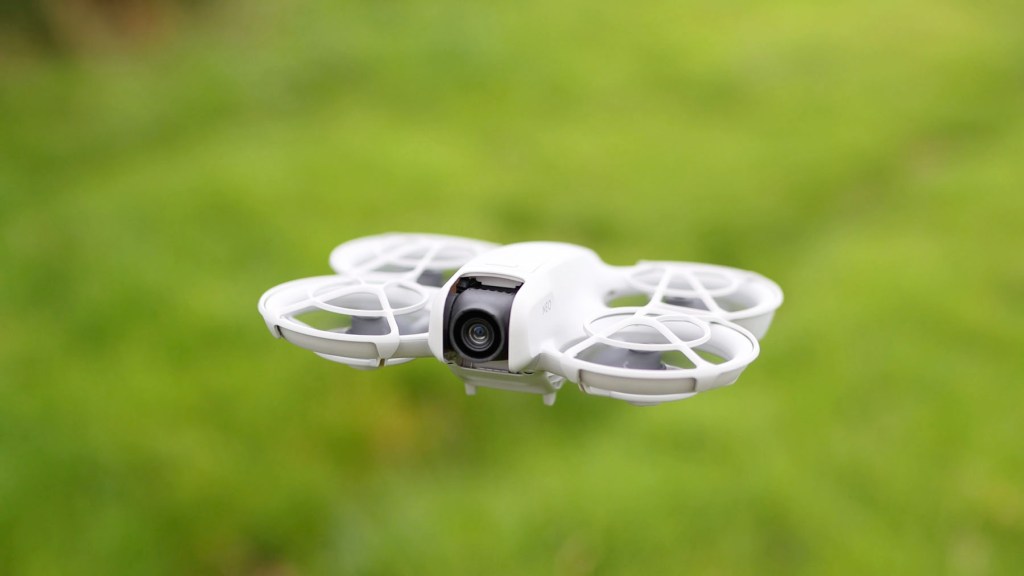
This tiny entry-level 4K drone from DJI is packed with new and exciting features such as palm takeoff and landing, automatic footage capture, AI subject tracking and controller-free flying.
Prices start at just £169 or $199 at the time of release, making it by far the cheapest DJI drone around and one of the best value ones on the market.
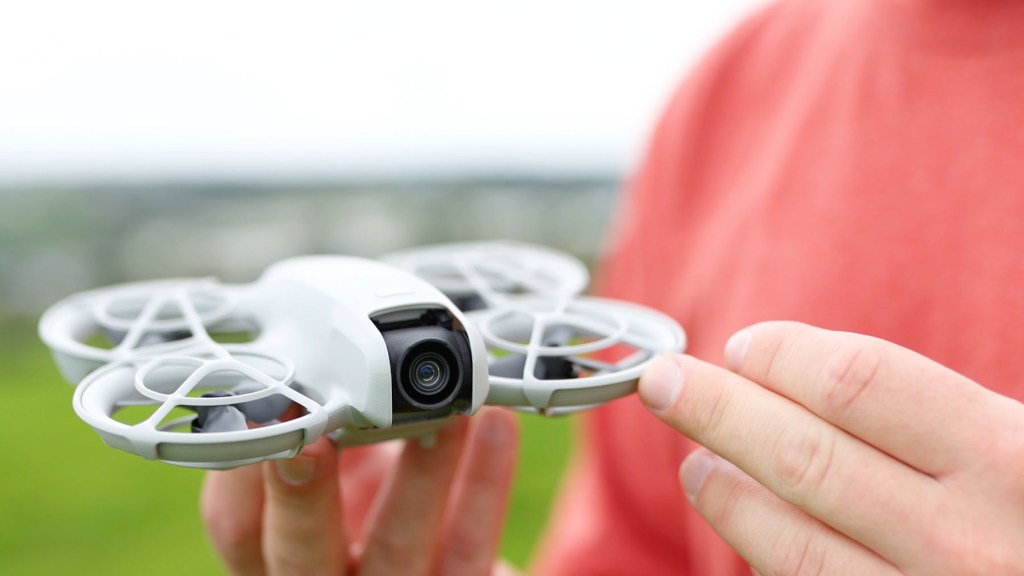
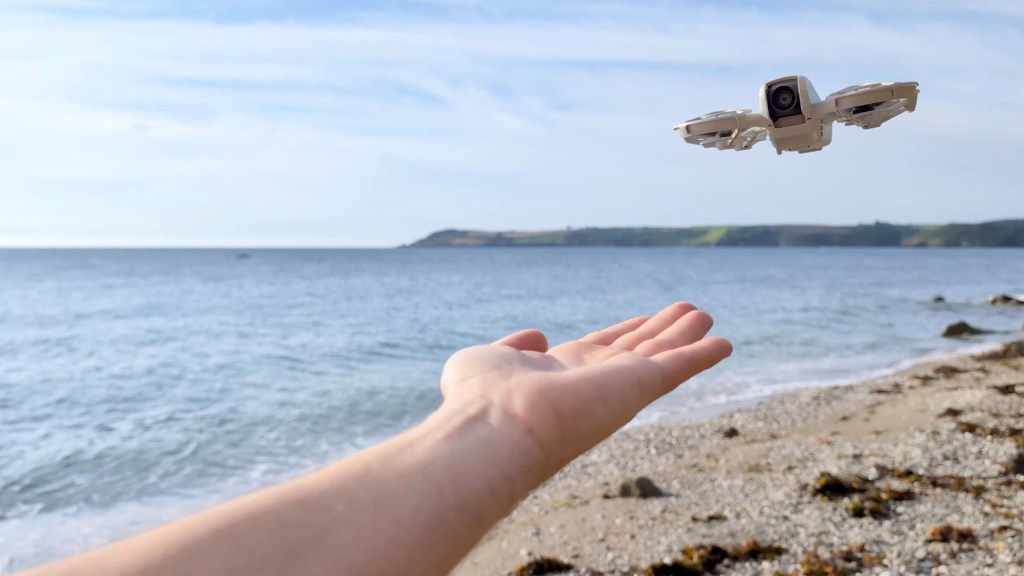
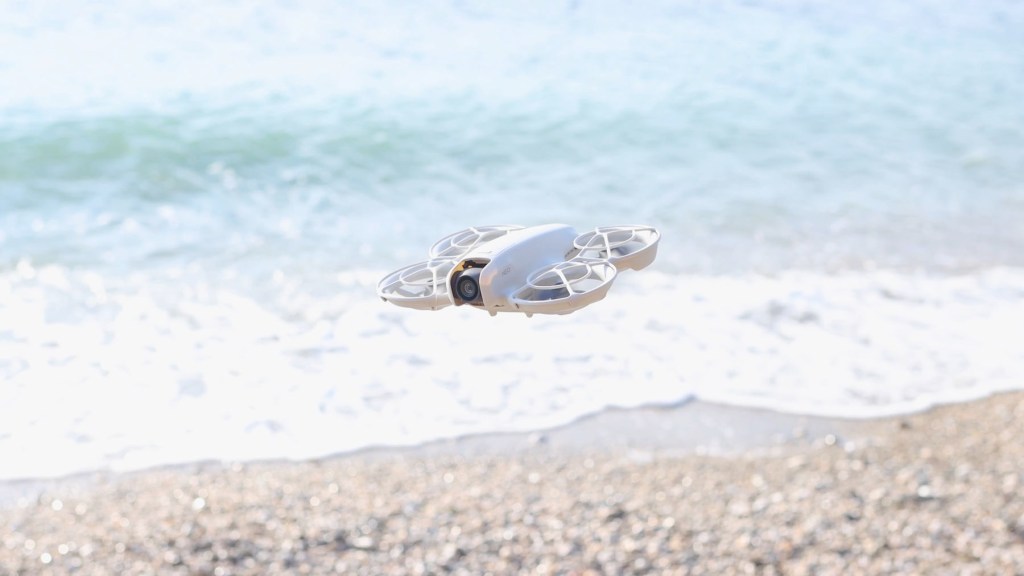
It weighs a ridiculously light 135g and is the size of my hand, so is super portable and will be great for travel.
What’s more, is very agile especially when paired with the optional DJI Goggles and the RC Motion Controller and has a great transmission range of up to 10km.
The propeller design and guards mean it can be flown much closer to people than you would a traditional drone and the level four wind resistance means it can still be used if it gets a little gusty, but really needs good conditions to fly.
I’ll be making a much longer complete guide to flying the DJI Neo soon, so subscribe for that and, if you’re interested in getting one for yourself, check out the links in the description below, but otherwise let’s get straight into exploring the Neo.
Click to buy your own…
(Affiliate links which help support this blog)
Unboxing the DJI Neo drone
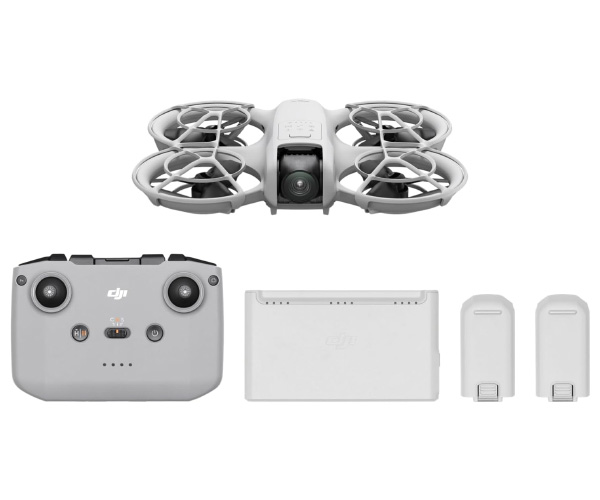
I’ve got the Fly More Combo Kit here which is available for £299 or $289 and I always think it’s worth the extra money, though if you do buy the drone on its own it will only come with the drone and a battery as it can be flown without a remote.

Like its big cousin the Avata its body is one singular piece and doesn’t fold down as many other drones do.
The four propellers are protected with guards making it safe for palm takeoff and landing. The guards are quite flimsy but once connected to the drone they do their job well.
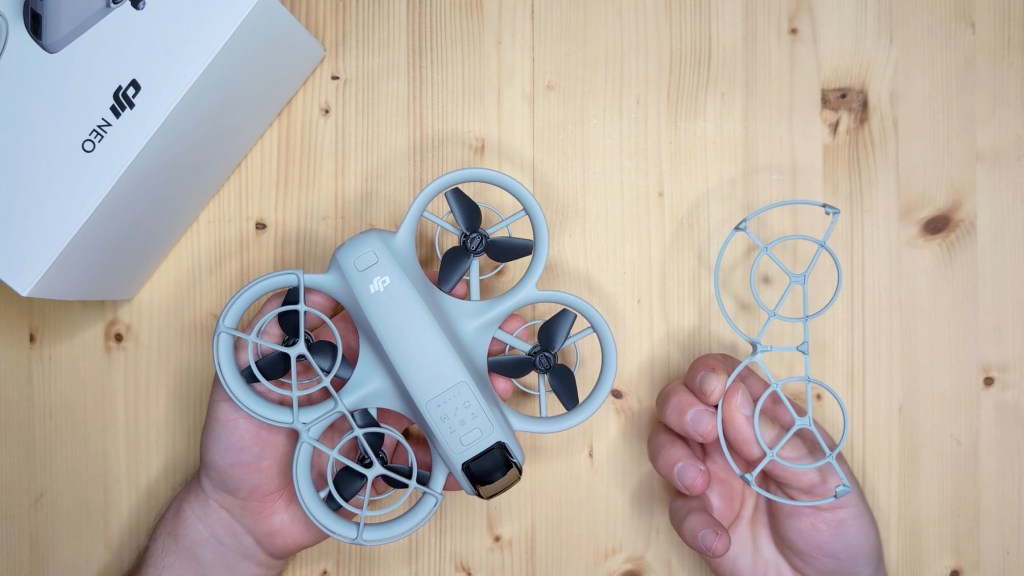
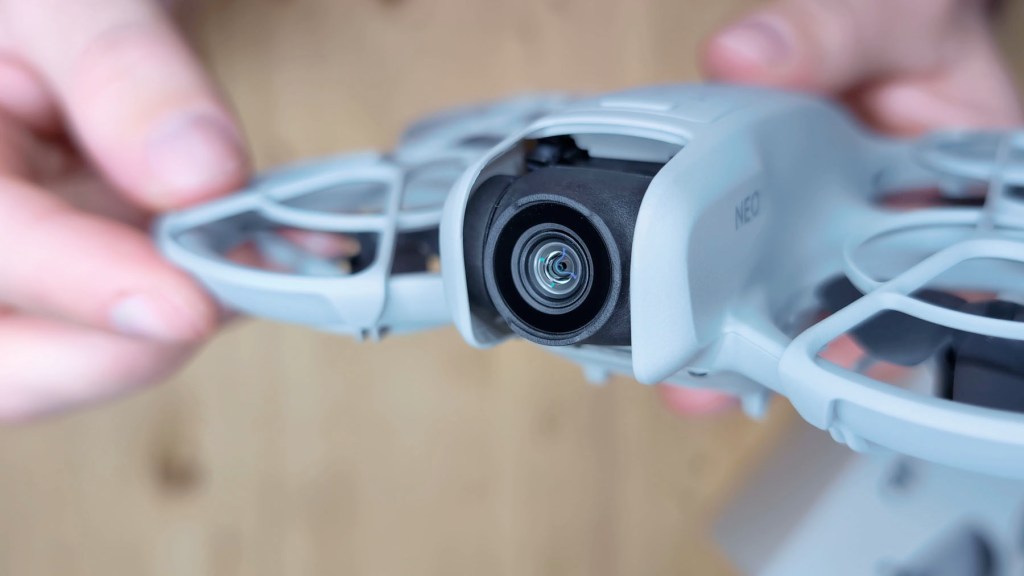
The camera on the front shoots up to 4k footage at 30 frames per second and is stabilised through the single axis gimbal on the camera, as well as extra digital stabilisation from DJI‘s Rock Steady and Horizon Balancing stabilisation algorithms.
The gimbal tilts downwards 90° and upwards 60°, so it has a really good field of view vertically.
At the rear is a 15w USB-C charging port and you may notice there’s no SD card slot, and that’s because the drone only has internal storage.
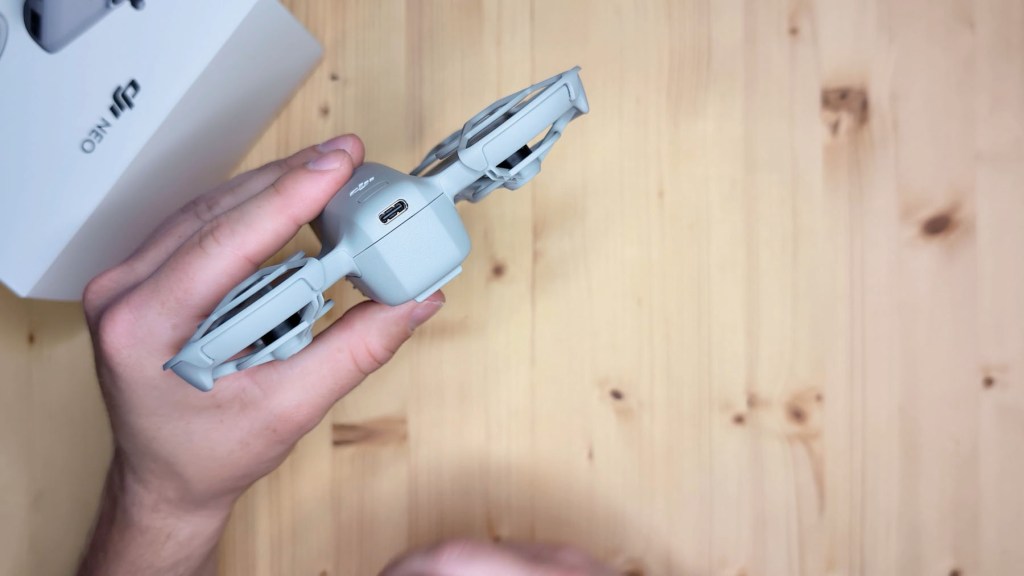
The 22 GB capacity will store up to 40 minutes of 4k at 30fps and 55 minutes of 1080 at 60fps and this can be downloaded with the Quick Transfer feature or you can plug the phone into a computer via a USB cable and copy your files across.
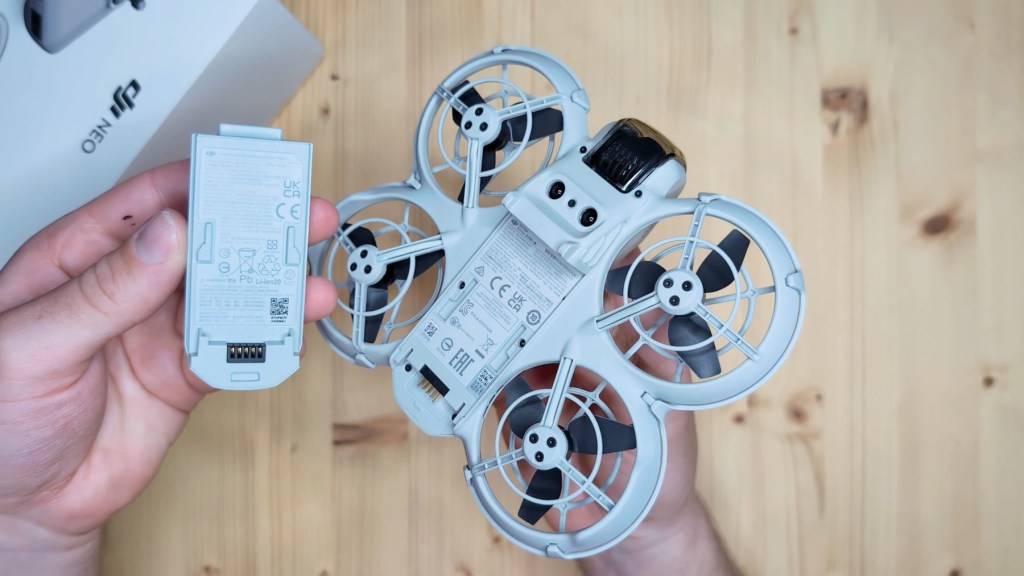
Underneath there are infra-red and downward vision sensors, however there are no obstacle sensors to avoid collisions. This is where you can remove the battery too which just slides out and makes up most of the weight of the drone.

Fly It From Your Hand & AI Flight Modes
On the top there’s the power button that turns the Neo on with the short press and then long press, but most importantly there’s a button and symbols on top which are new features. The button is to change the mode and the symbols below light up and tell which mode you’re in. The modes use AI to recognise and track you.
This is for when you’re in Palm Control mode which is limited to a flying height of 30m and distance of 50m and the videos start recording automatically.
IWhen it flies, it’s got a reasonably loud high pitch whine to it.
The first mode is Follow where the drone follows the subject flying forwards though not backwards.

The second is Dronie which records a video while flying backwards and then another while flying forward.
The third mode is Circle which records footage while flying around the subject.
The fourth is Rocket when the drone ascends and then descends recording both times.
The fifth is Spotlight where the Neo will hover after takeoff and record a video facing the subject.
And finally there’s Custom Mode where you can choose between either Direction Track where the Neo follows the subject, Helix where the drone spirals around and upwards and Boomerang, where the drone flies around the subject in an oval pattern.
For manual flight when using the RC-N3 remote control, you can switch the DJI Neo between Normal, Sport and Cine modes which adjust your flight speed.
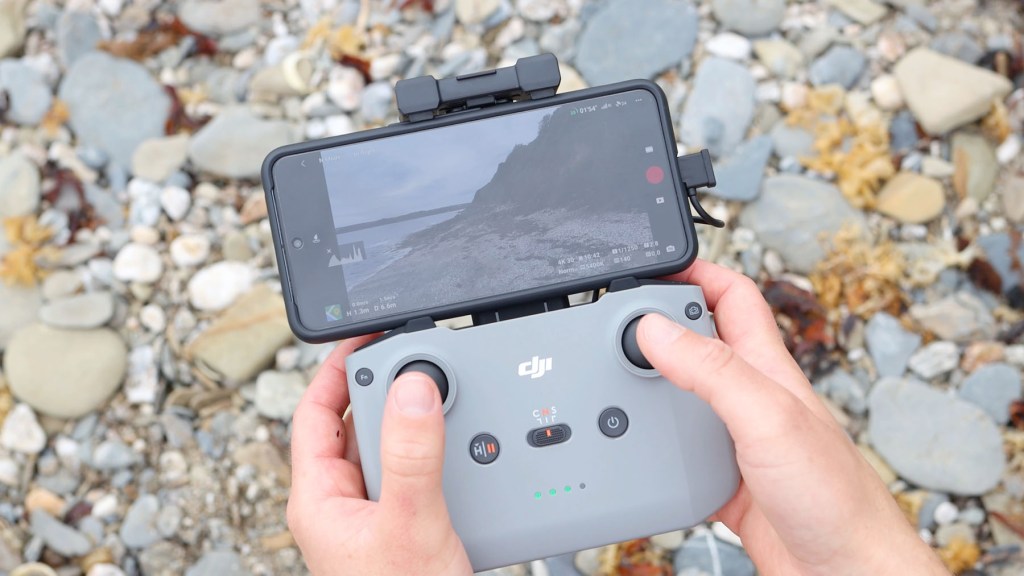
If you get low on juice the drone will automatically return to home at around 15 to 20% battery providing a neat flight path in the app so you can see which route it’s going to take.
Click to buy your own…
(Affiliate links which help support this blog)
Four Ways To Fly The Drone
There are four ways to control the DJI Neo.
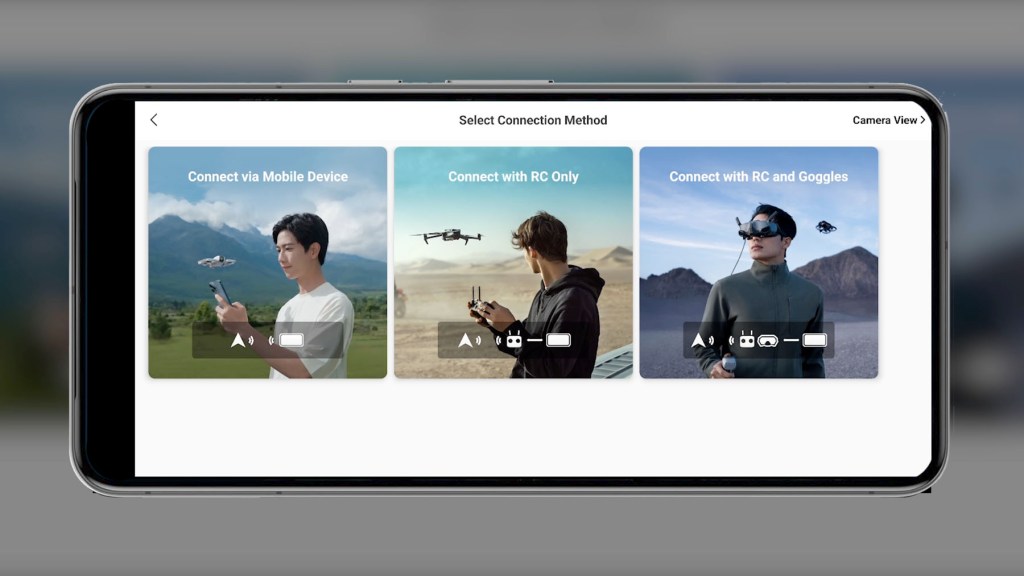
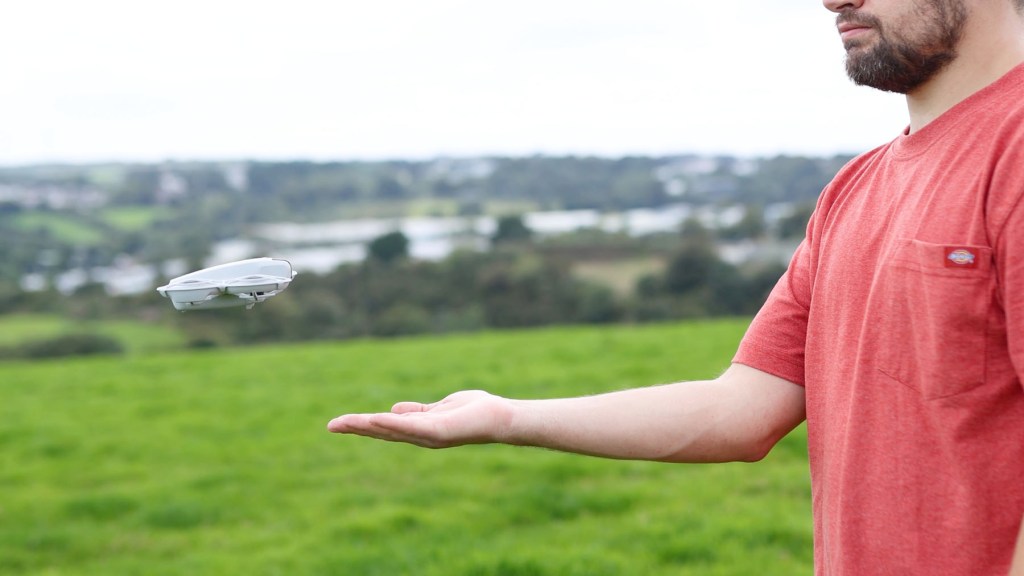
We’ve already covered a bit of the most exciting one, Palm Control, with the on drone flying mode which are a really fun way to get in the air.
How palm takeoff works is that it requires the Neo to face you and confirm you as the subject before it counts down and takes off, automatically recording as it does.
To get it to land on your hand simply put your hand below it, keep still and it will begin landing.
Mobile App Control With The DJI Fly App
The next way to get flying is using mobile app control via the DJI Fly App.
You’ll need to update to the latest version, but connect the Neo to it and you’ll have access to all the Palm Control flying modes, so you can get flying with just the drone and the phone in your pocket, but you can also manually control the drone with ground and palm takeoff, as well as virtual joysticks to maneuver the drone in the air from your phone .
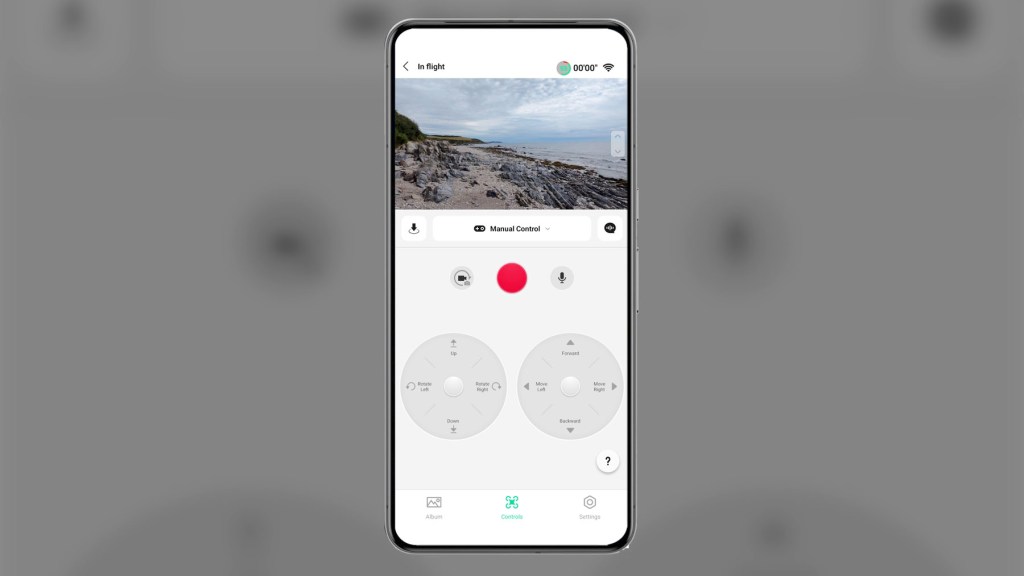
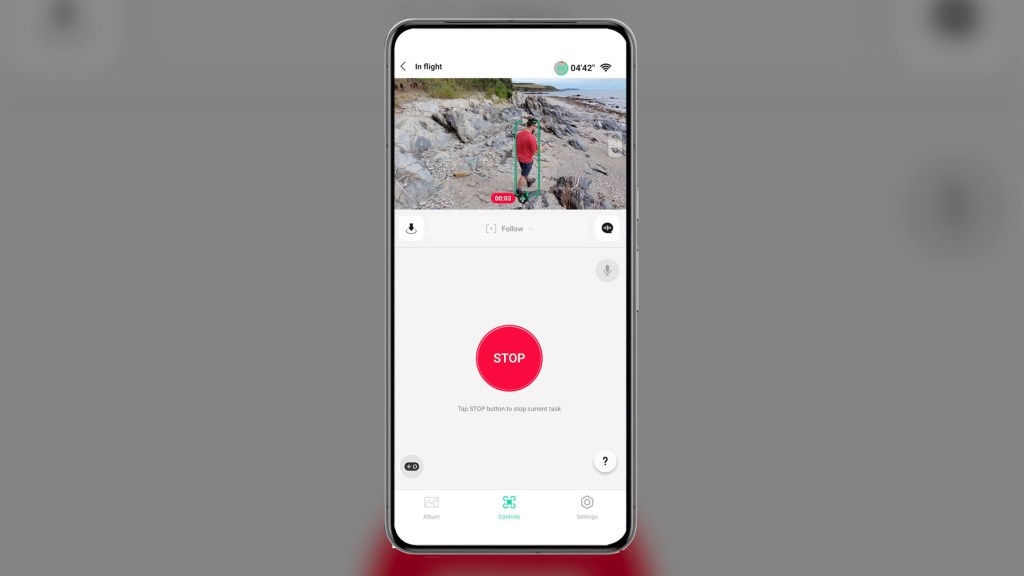
It’s a nice method for if you want something tangible to press and control instead of just relying on the drone’s AI abilities, but it does seem to me that these controls are a little slower than using the conen ition remote control.
Using the app to fly also allows audio recording from the phone and syncs with the drone footage, and voice control which allows the control of the Neo with voice commands, as listed in the voice control settings.
We’re also on Instagram!
Check out yogi.the.van to keep up-to-date with all our adventures in the van!


RC-N3 Remote Control
The DJ Neo uses the RC-N3 which is included with the Fly More Combo Kit, though can be bought separately for £105 or $129.

Looks-wise it’s pretty similar to its predecessors the N1 and N2 with approximately 3.5 hours of operating time.
It’s got all the same functions that you would expect to see however, with the joysticks, flight modes, gimbal dial and record button to name a few.
Put the phone in its cradle, connect it with the included USB-C cable and open up the app, and you can auto-takeoff and land at the push of a button.
When using the remote control and the DJI Fly App you also have access to Intelligent Flight Modes.
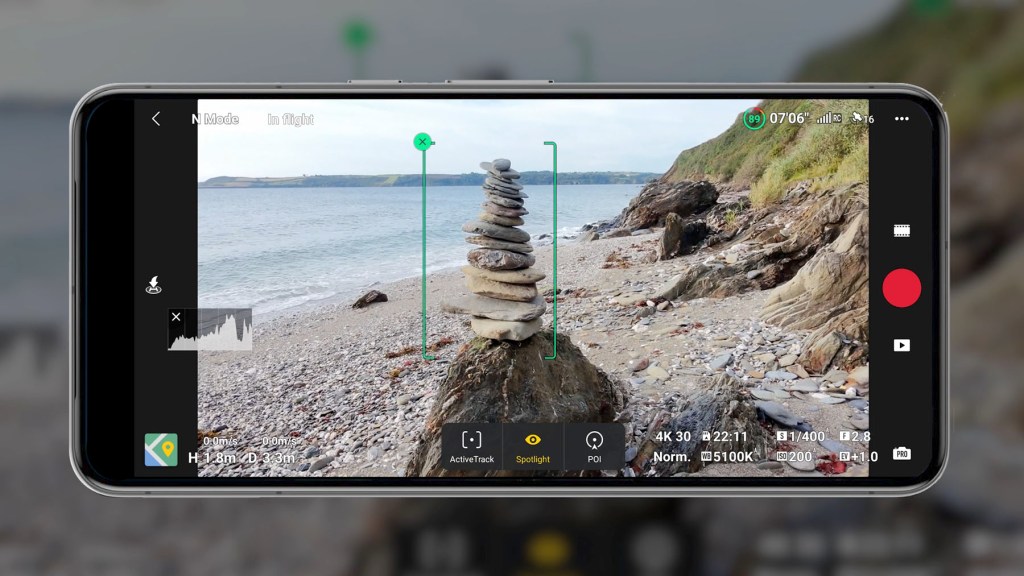
The first is Focus Track which includes Spotlight, which enables the camera to face the subject at all times while manually controlling the flight.
Then there’s Point Of Interest which allows the aircraft to fly around the subject based on the set radius and flight speed, and Active Track where the aircraft follows the moving person at a certain distance and altitude.
The next Intelligent Flight Mode is QuickShots which is a standard for DJI drones.
I’ve already mentioned Dronie, Rocket, Circle, Helix and Boomerang in more detail earlier, but they’re are great way to get incredible footage with easy automated flight patterns.
The final flight mode is Cruise Control which enables the aircraft to fly at a constant speed automatically, making long-distance flight easy and helps to eliminate image shaking and jerky movements that occur while you use the joysticks manually. To use it, push the joint sticks and hit the Cruise Control button. The aircraft will keep flying automatically at that speed and trajectory so you can release the control sticks.
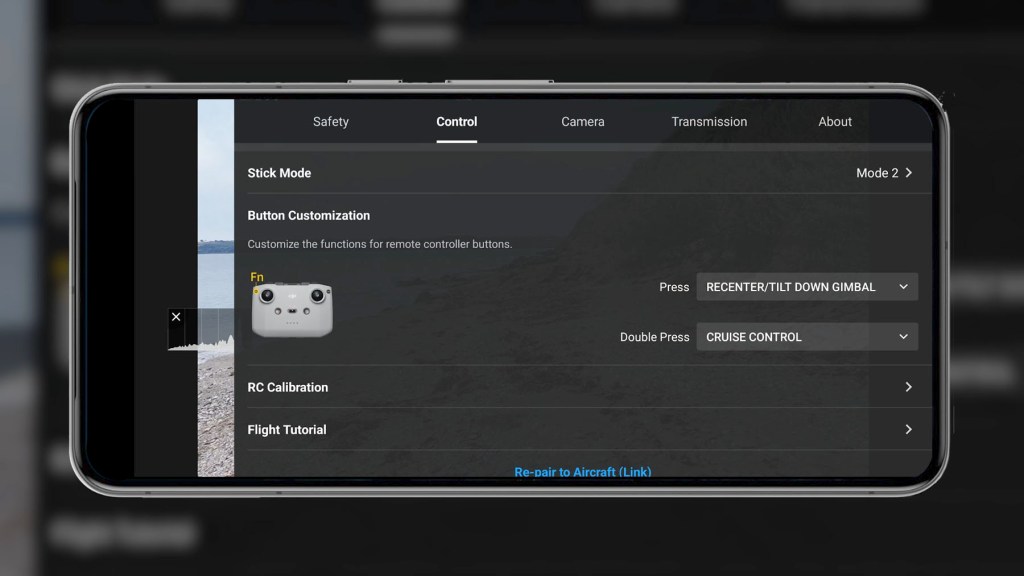
The focus track and cruise control modes aren’t available on the next cheapest DJI drone, the DJI Mini 4K which was released in mid-2024, so it’s fantastic to see them here.
I’ve actually made a full video on that drone too. It’s a fantastic traditional beginner drone with superb 4K video, so have a look if you’re interested.
Click to buy your own…

(Affiliate links which help support this blog)
DJI Goggles 3 & RC Motion 3
The fourth and final way to control the drone is via the DJI Goggles 3, and RC Motion 3 Controller or FPV Remote Controller 2 for the ultimate immersive FPV drone flying experience.
With the Goggles costing £579 or $499, the RC Motion costing £79 or $99 and the FPV Remote costing £139 or $199, this means of course you’ll be buying a £169 drone only to spend nearly four times that on a way to control it.
If you’re a serious drone enthusiast and want to add the Neo to your collection then you may already have these to hand to use, but I think a lot of people who want their first drone at a great price will be more than happy with the three methods of controlling the Neo that won’t break the bank.
Fly More Combo & Accessories
There are a few other accessories included alongside the Neo drone and remote control in the Fly More Combo Kit.
The first is two spare intelligent flight batteries so you have a total of three altogether.
Lasting a maximum of 18 minutes per flight in good conditions, you’ll have a total of 54 minutes of flight before they all need to be charged again, though that figure will likely be near 45 minutes in real world conditions.
To charge the batteries there’s a two-way charging hub which, when using the DJI 65w portable charger which isn’t included, you can charge the three batteries up in just 60 minutes.

If the batteries are in the hub you can also plug in an external device such, as the remote control and charge that using the charging hub as a power bank.
Regardless of what DJI Neo package you buy you’ll also get the propeller guards, a gimbal protector, a USB-C to USB-C charging cable. two spare propellers. four spare screws and a screwdriver, which are always handy for when the unexpected happens.
The combo kit doesn’t come with a case as many other combo kits do however, so you’ll have to source something for yourself.
Click to buy your own…
(Affiliate links which help support this blog)
Image Quality
The DJI Neo supports video resolution of 4k at 30fps and 1080 at 30, 50 and 60fps.
The 4k is great quality and, whilst at £169 you don’t get options like HDR, dlog or multiple lenses, for what you pay you got pin sharp details for your video and photos thanks to the stabilized 14mm f2.8 lens, which has a minimum focusing distance of 60 cm and 1/2in sensor.
Although it’s geared towards video, you can also take still photos with the Neo.
The only option is JPEG format with no raw available in this drone, and they’re 12 megapixels in resolution which is fairly standard for a drone in this price bracket.
Flying Legally With The DJI Neo
Whether this is your first drone or you’ve had many over the years don’t forget to check and abide by the flying laws where you live.
Although it’s a sub-250g drone and is less regulated in the UK where I live, I still need an annual operator ID, so be sure to check out the regulations in your area to find out what you can and can’t do with this drone.
Final thoughts on how to hardwire a device into your vehicle
The DJI Neo is undoubtedly a fantastic new entry level addition to the DJI lineup.
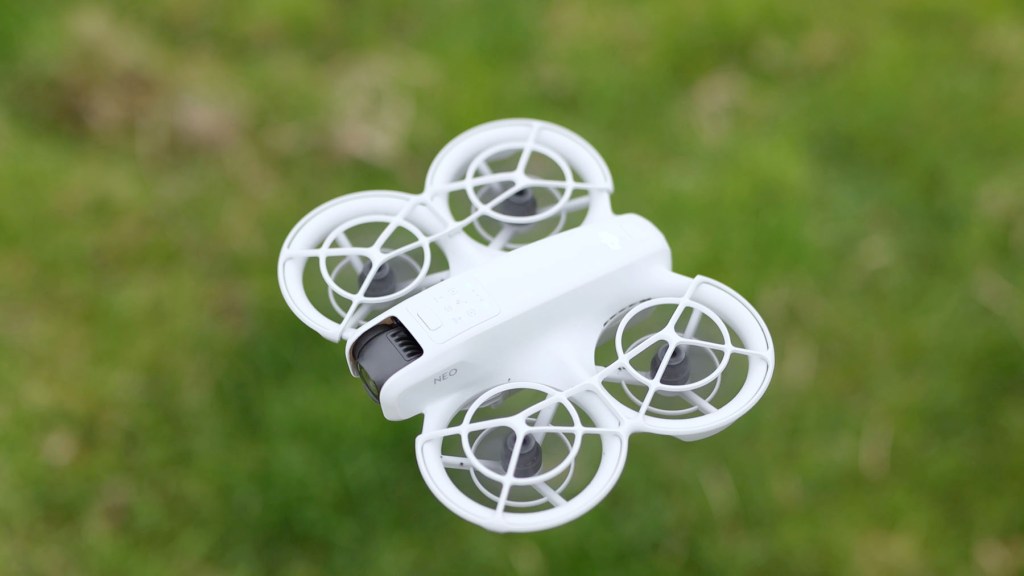
It’s certainly small and lightweight, but is super easy to use and has multiple control options making extra versatile.
On the downside it’s really expensive to buy and use the goggles as well, though drone enthusiasts may have them on hand already to fly other drones with too.
It’s also so light that it feels a little flimsy perhaps, but if you treat it with care you’ll have a great time flying it and the ability to have it in your pocket and fly it without a remote control is so practical.
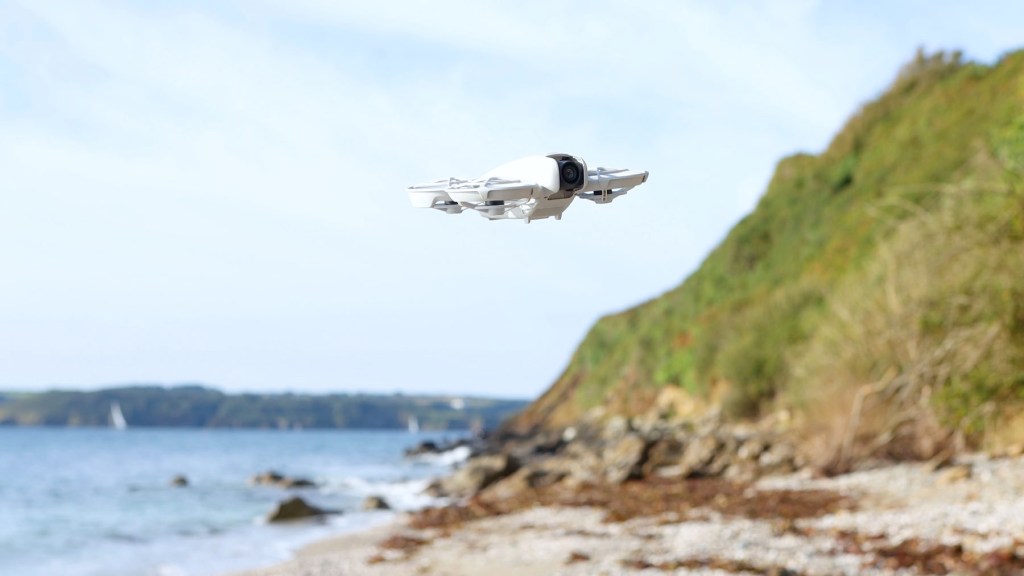
The flight time is also really short, which is to be expected with a drone this small, however having the extra batteries with the combo kit really helps.
It’ll be great to watch how DJI develops this type of drone to compete with the likes of the HoverAir X1 Pro and Pro Max, which offers 4K and 8K resolutions respectively, and has an incredible package of features, which will release at the end of October.
Don’t forget if you’re interested in getting a DJI Neo for yourself, I’ve got links in the description below which help support this channel and make videos like this possible and, if you’ve got any questions drop them below and I’ll do my best to answer them.

Do subscribe for more videos like this including the complete guide to flying the DJI Neo which I’ll be putting out soon when I’ve had the chance to put some serious flight time on the drone.
Thanks for stopping by!
Click to buy your own…
(Affiliate links which help support this blog)
 The Tiny Camper Van