

This article is a written account of a video from the Lens Of James YouTube channel. Watch the video above and subscribe if you like what you see!
This article contains affiliate links to relevant products I have used in my videos. By buying through these links, I receive a small percentage of the sale at no cost to you which helps me support and grow my website and YouTube channel, so I can create more content like this in the future. Thank you for your support.
In this article…
- Introducing the Nextbase iQ Dash Cam
- Unboxing the Nextbase iQ Dash Cam
- The Nextbase iQ App
- How to install the Nextbase iQ front and rear camera in a vehicle
- Modes, Features and Functionality of the Nextbase iQ
- Subscription costs for the Nextbase iQ
- How much do the Nextbase iQ dash cams and rear camera cost?
- Filming quality of the Nextbase iQ front and rear cameras
Introducing the Nextbase iQ Dash Cam
It’s safe to say the Nextbase IQ is taking the dashcam world by storm!
Imagine taking the best tech you find in the smartest of modern cars and putting it into a dash cam, so all drivers can enjoy safety and security when on the road or parked. Well, that’s what Nextbase has tried to do here!
And it’s been a long time coming. Rumours of the IQ have been floating around the internet for a couple of years now so, now it’s finally landed, I’m very excited to get my hands on one.
So let’s get stuck in, and I’d like to start by saying that Nextbase kindly provided the IQ for me to make this review, though all the thoughts in this post are of course my own and based on my experience using it.
They’ve also kindly provided a 10% discount code for my readers. Just head to head to nextbase.co.uk and use code LENSOFJAMES10 to get a 10% discount on the IQ front and rear camera.
The IQ comes in 3 versions – 1k, 2k and 4k resolution and I’ve got the 2k here, as well as the optional 2k rear camera.


Unboxing the Nextbase iQ Dash Cam
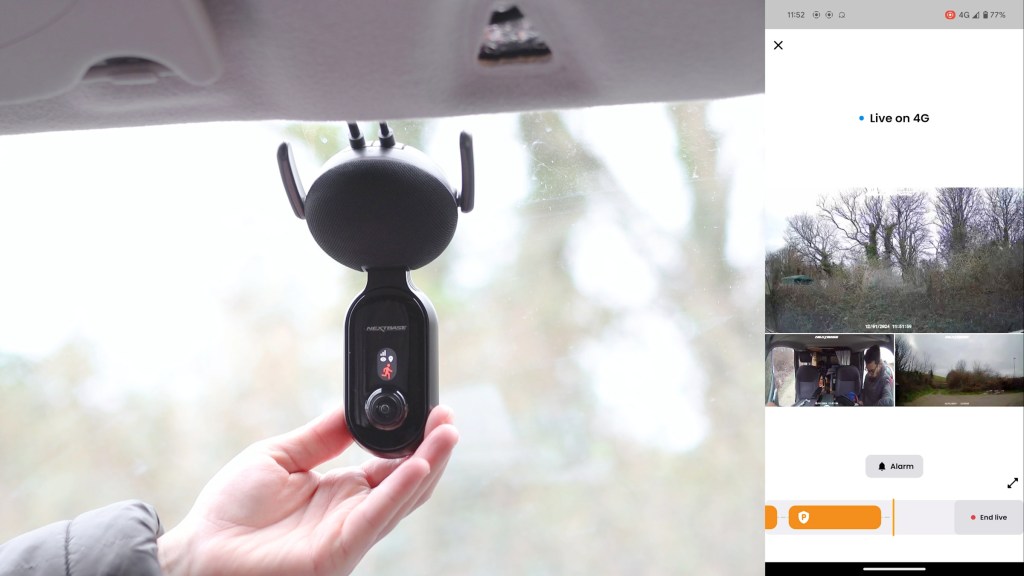
Unboxing the main camera, the IQ doesn’t look like any other dash cam that’s come before it. It’s got a camera module, with lenses facing outwards to the road and inwards to the passengers, and a large circular base, which is actually a speaker, with two 4G antennas and, on the reverse, a large sticky pad mount.
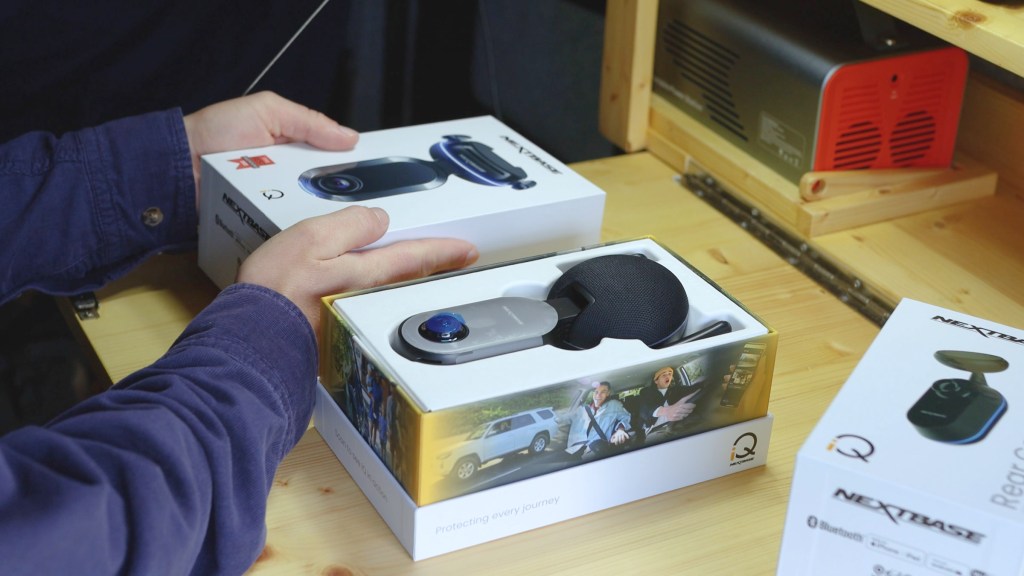
In the box you’ll get a help card and another box of accessories. These include; a cable clip, a trim removal tool for hiding cables, some cable ties, a spare sticky pad, windscreen cleaning wipes, and your options for power.
This dash cam doesn’t have a built-in battery and requires a constant power source, but luckily there are two ways you can power this dash cam so the majority of vehicles will be covered.
First is a 4.5m OBD 2 port cable. The OBD port is a handy powered-port in modern vehicles which can be utilised by diagnostic tools, trackers and, in this case powering a dash cam.
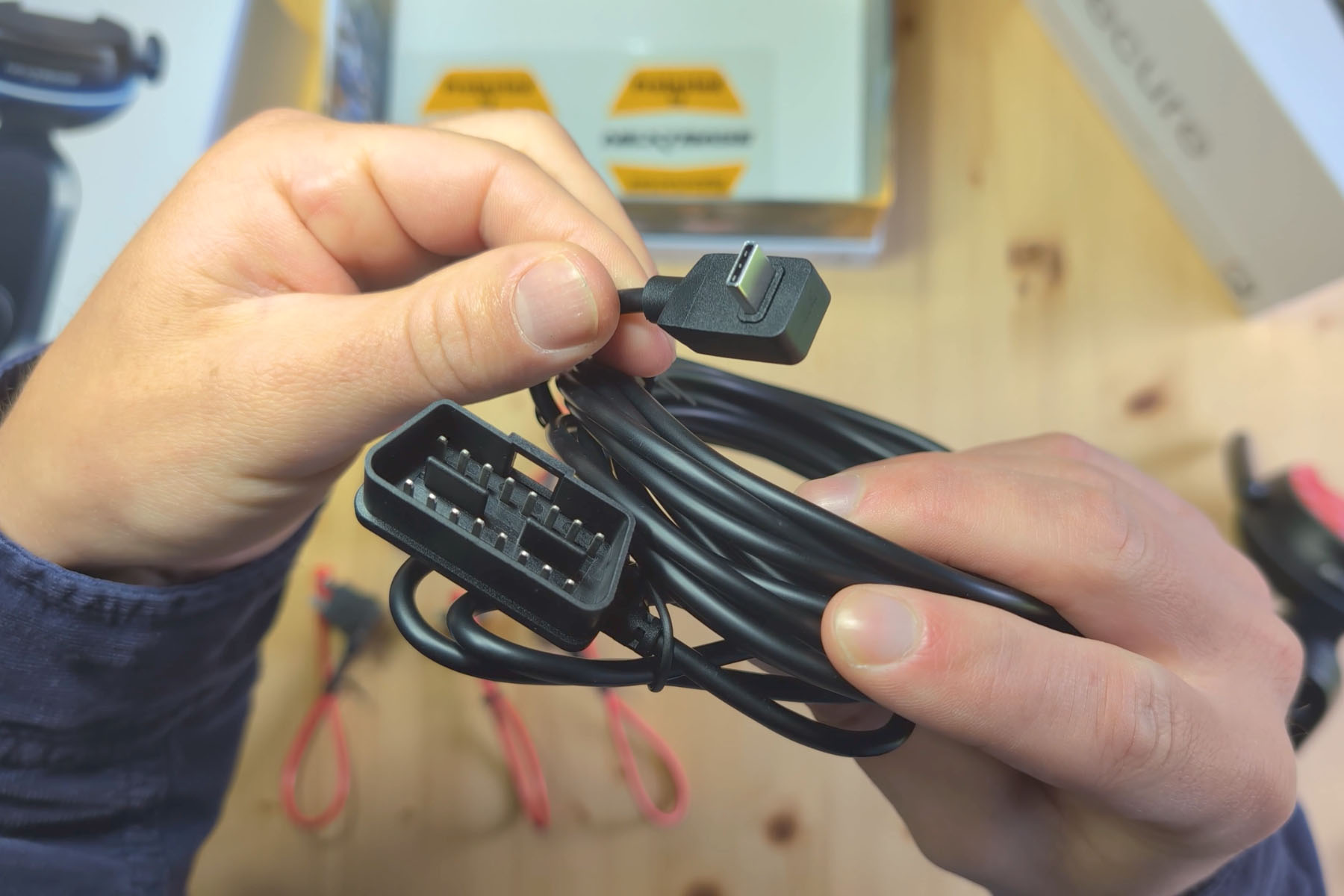
Usually they are found within the vehicle, so you don’t need to worry about feeding wires through from the battery under the bonnet or hood to the dashcam. The downside to using this port is that you’d have to unplug your dashcam to plug a diagnostics tool in, though there are pass-throughs and splitters available if this was a major concern.
The second method is hard-wiring your dash cam it directly to the battery. If you’re happy doing it, then you can keep your OBD port free and Nextbase provides a whole range of adaptors and a nice long cable so, again, the majority of vehicles will be covered.
And, if you’re wondering, yes the IQ will turn itself off if it detects the battery voltage getting too low, with Nextbase saying “it is expected that a vehicle can be left for approximately 6 days before the voltage drops too low” for the IQ to stay on…and I’ll come onto the IQ app later.
Having removed the protective films, you can get a better idea of the two built-in lenses. The protruding lens is the outward-facing lens that records the road in front of the vehicle, and it films with a 140 degree viewing angle.
The flatter lens is the inward-facing cabin camera which has a 180 degree filming angle and has the added bonus of infrared.
Both of these lenses record at 2k resolution.

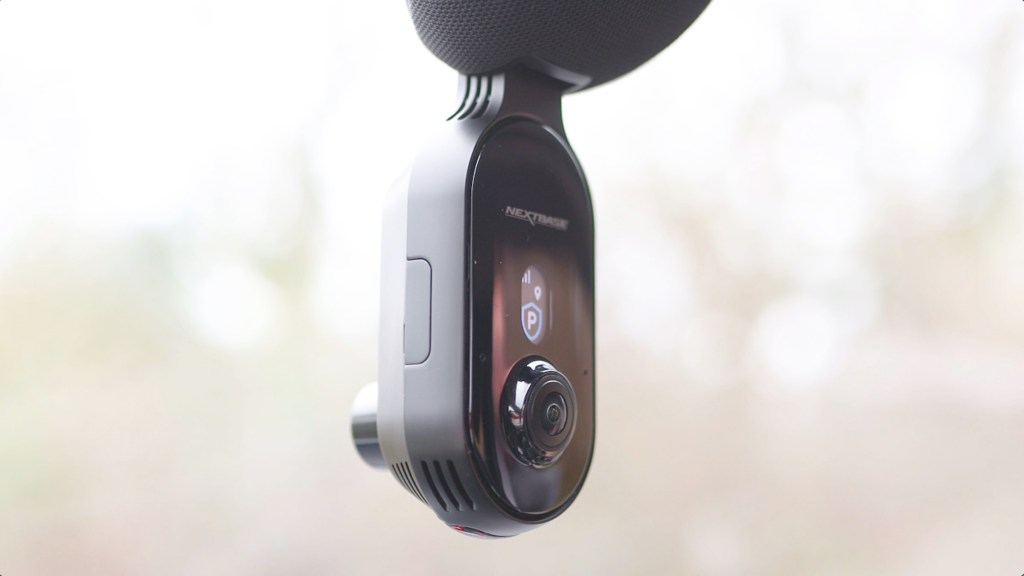
It’s worth noting that whichever IQ model you buy, both lenses will record at the same resolutions, so you always get the best quality for your money.
In between the base and camera module, there’s a hinge which enables you to adjust the camera to your desired angle on the windscreen. The two antennas are for the 4G data that the IQ’s top features rely on, and there are ports for the power cable and connecting a rear camera, which still has its rubber cover on here.
On one side of the camera module is the sd card slot, with a 64gb card that comes supplied with the dash cam. Whilst that’s a fairly small capacity for recording journeys in up to 4k, later I’ll explain why that’s not a big deal at all!
On the end of the camera, there’s a lock button – a staple feature of Nextbase dash cam which, when pressed instantly saves the video clip, and above the lock button is a light sensor.
Click to buy your own…



(Affiliate links which help support this blog)
Above the cabin view camera there is a small screen which shows you information such as which mode you’re in and the status of the camera with symbols, and underneath the case you’ can just about see’ll find the infrared sensors.
The sticky pad base is actually removable, which is done by sliding it off, and is handy for aligning the pad on the windscreen, as well as changing the dash cam between vehicles.
Unboxing the Nextbase iQ Rear Dash Cam
Next, let’s explore the rear camera. It’s quite a bit smaller than the front camera and there is only one resolution this comes in, 2k, and like the road-view lens, it has a 140 filming angle.
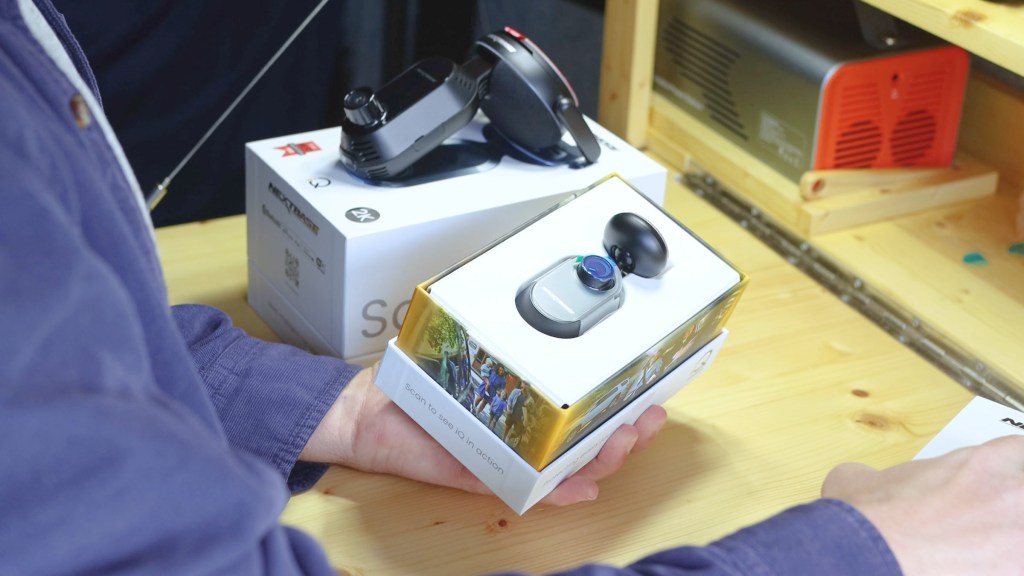
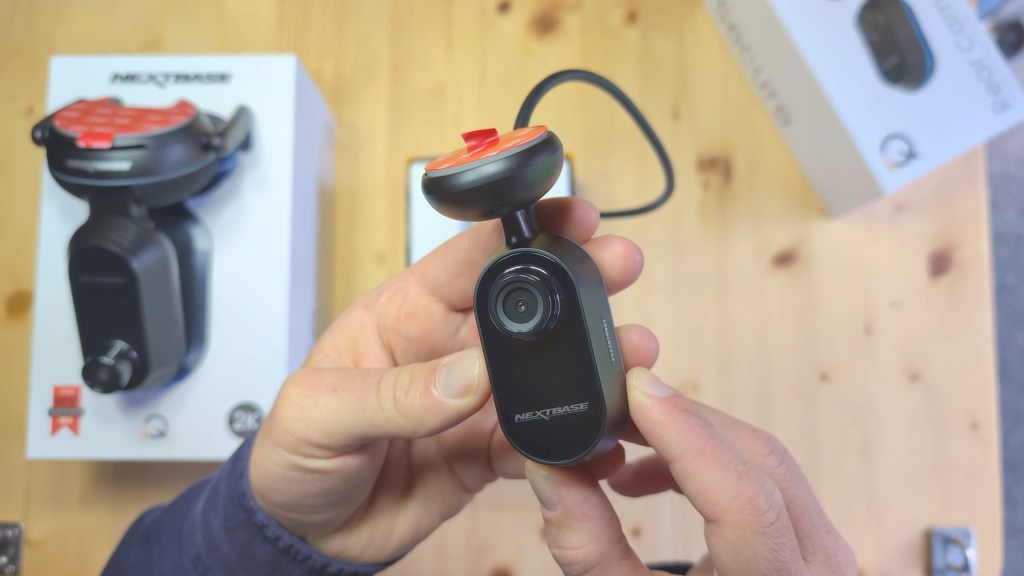
The thick wire coming out of the rear camera connects into the front IQ unit and comes with a generous 7.5m cable which will cover the majority of vehicles.
In the box you’ll get; an extra sticky pad mount, another plastic tool for hiding cables, some cable ties, a cable holder, some windscreen wipes and the 7.5m of cable.
We’re also on Instagram!
Check out yogi.the.van to keep up-to-date with all our adventures in the van!


The Nextbase iQ App
One thing you may have noticed about the IQ is that there isn’t much in the way of a screen, like you might be used to with other dash cams. And that’s because you can view all of your footage, whether live or recorded, on the Nextbase IQ app, as well as changing the dash cam’s settings…plus it will send you notifications about the status of your vehicle.
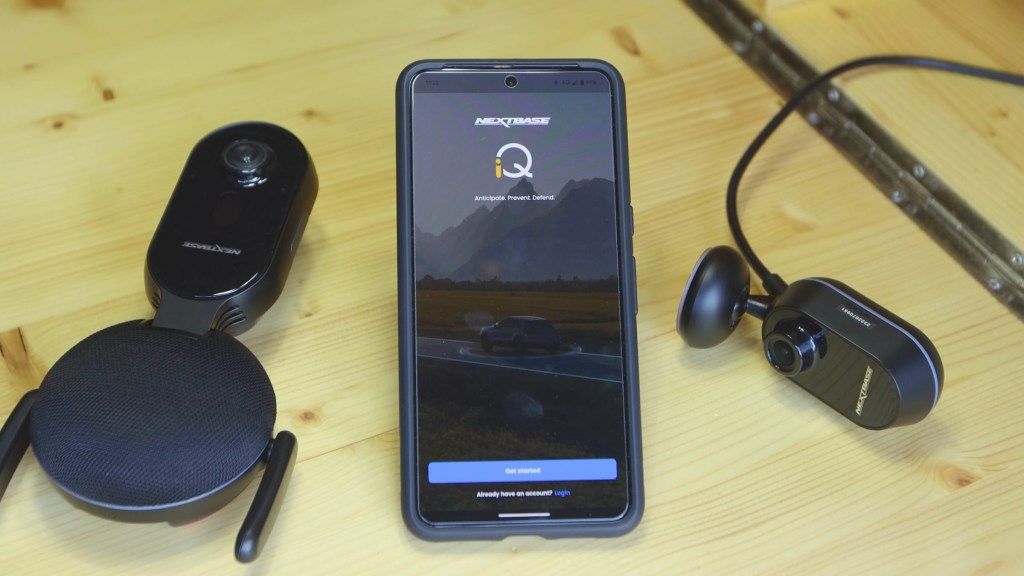
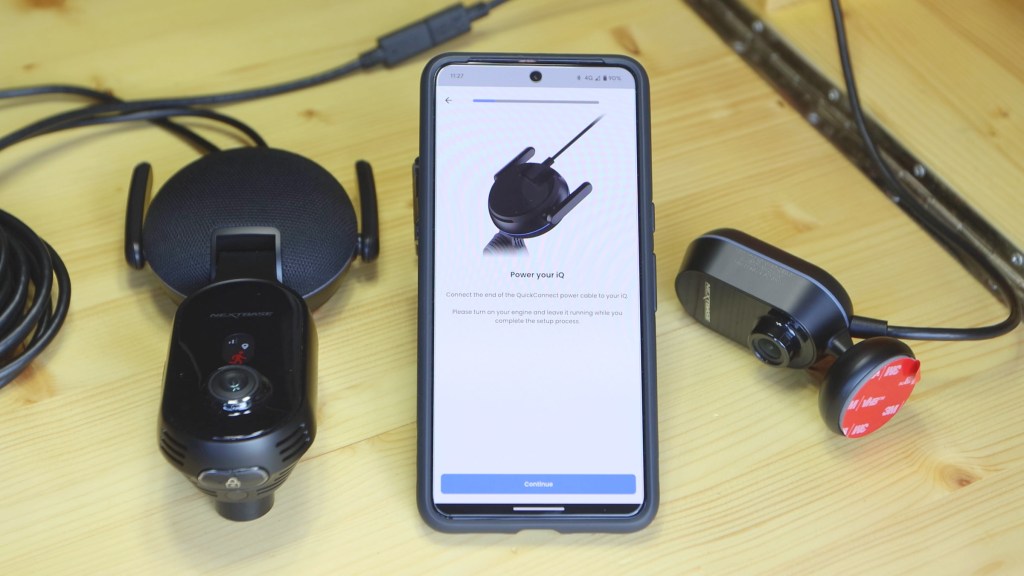
To get set up, head to your phone’s app store and search for Nextbase IQ.
Click the ‘get started’ button and follow the on-screen instructions to begin connecting and setting up your IQ.
As part of the process, you’ll create an account and have to choose a subscription, which is new for the IQ. This is because the IQ is using data to transmit its files to cloud storage, ready for viewing on your phone. I’ll go through the subscription packages, how much they cost and what you get a little later in the article.
As soon as the IQ is plugged into power, you’ll see the small screen come on, as well as light from the speaker ring light and lock button on the main unit, and a ring light around the sides of the rear unit.
If you’re interested in all the different symbols of the screen and light modes of the ring light, then click on the images below taken from the Nextbase manual.


After turning on, the IQ may start a firmware update, and it’s always best to get the latest version anyway. You can always check later on by going into the app and seeing what version your IQ is on.
From the homepage of the app, you’ll see your map location, your What3Words location, your speed, live view of all connected cameras and ways to access your dash cam’s settings and modes, which I’ll go into soon, but…

How to install the Nextbase iQ front and rear camera in a vehicle
We’re now ready to install the dash cam. With the windscreen cleaned with the wipes provided, I can begin working out where to fit the IQ and, once I’ve decided, stick the base down and clip the IQ on.
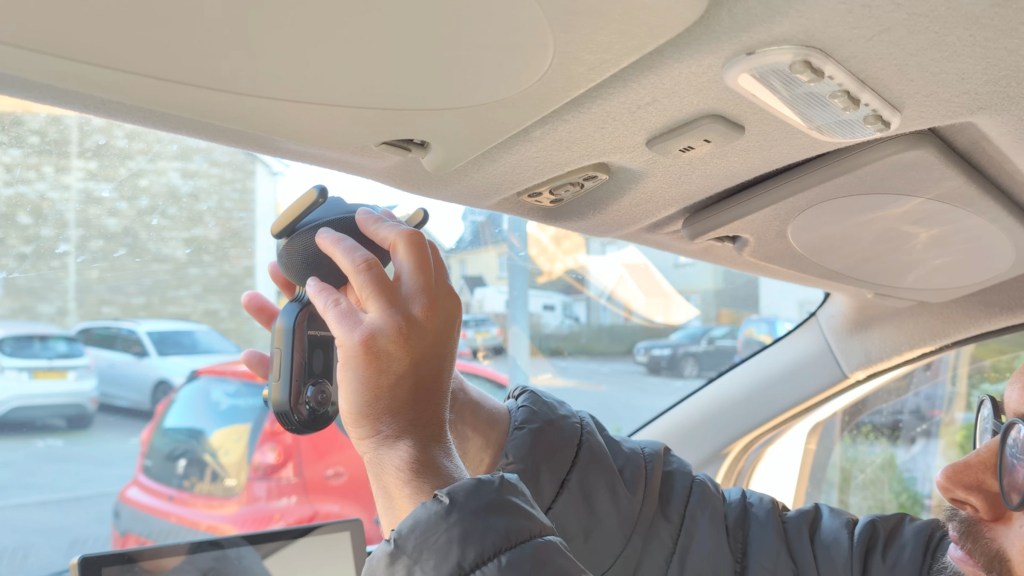
Using Live view in the app, I can position the IQ front and rear cameras to where I want them and, as both of the front lenses are fixed and can’t be tilted, I’ll prioritise the positioning for the road-facing lens.
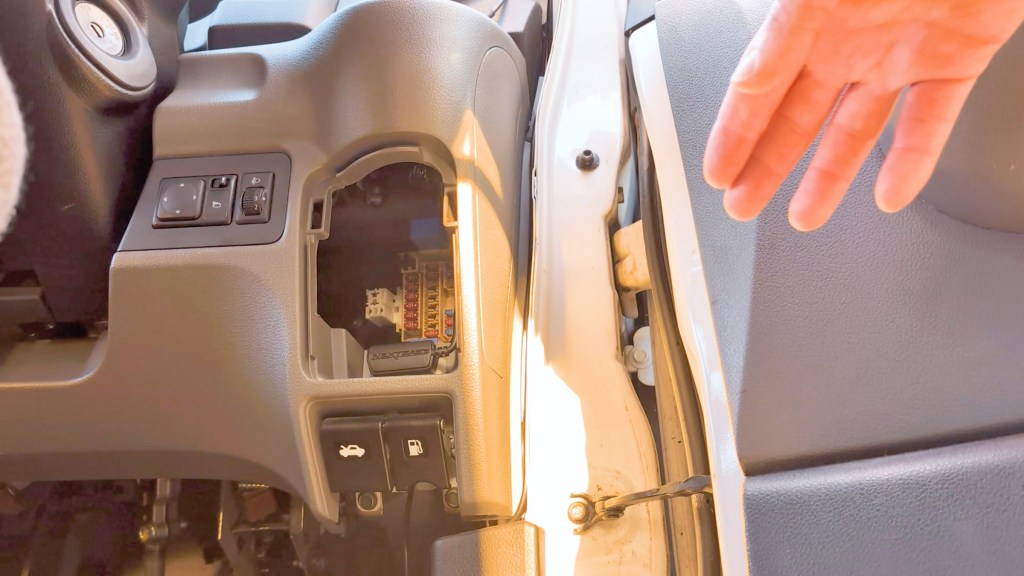
For the power and rear camera cables, I’ll run them up into the headliner, which is where the plastic trim removel tool comes in handy, and then work the power cable down to the OBD port, which on my van is to the right, below the steering wheel. If you’re not sure where the OBD port is on your vehicle, it will be in the manual or a quick google will usually show you.
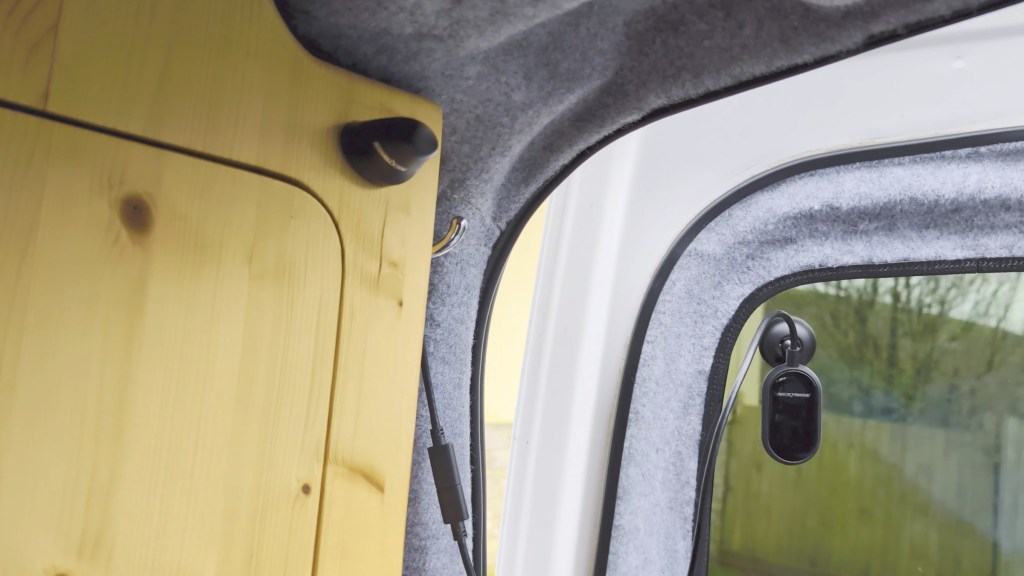
And then, I can run the rear view cable all the way to the back of the van. I’ll do my best to hide the cables any way I can, and this will differ for every vehicle, and then I can stick the rear view camera down on the glass to keep a watchful eye on the back of the van.
I’m leaving enough loose cable so that the camera can’t be pulled when I open the door. Barn doors like mine definitely move quite a bit, but a standard tailgate boot or trunk for cars move less and will require less slack cable.
As with most dash cams, the IQ will begin recording your journey as soon as the engine is turned on and, if you’ve got sound enabled, a small tone will be heard and a red circle will appear on the screen. Recording will continue until the ignition is turned off.
Modes, Features and Functionality of the Nextbase iQ
So what makes the IQ stand apart from other dash cams and competitors? In a word, technology. Nextbase reckon the IQ is the world’s first truly Smart Dash Cam, and it’s not difficult to see why they might claim this. So let’s take a look into all the features the IQ has to offer.
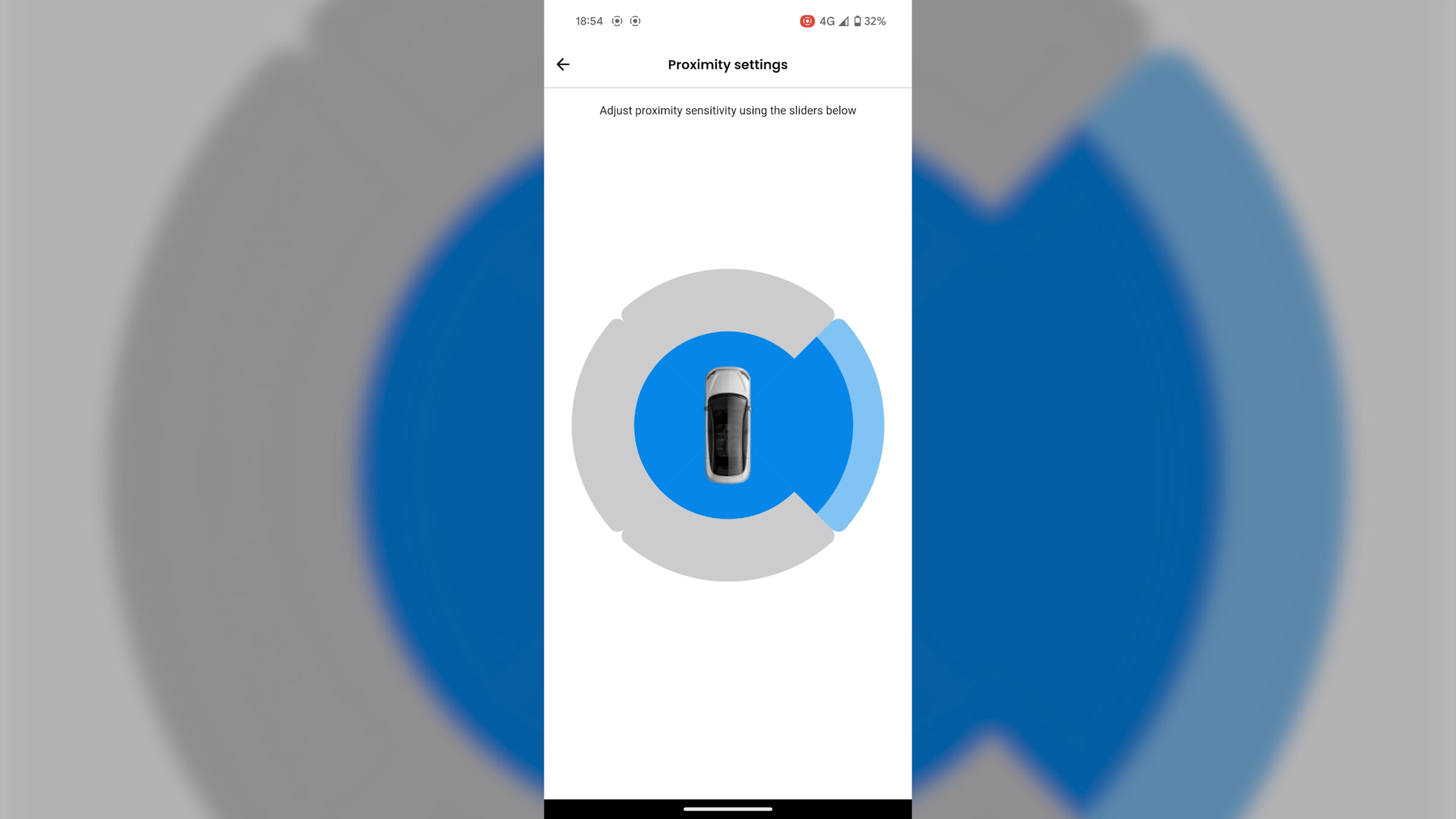
Up first is Smart Sense Parking. This provides 24/7 protection for your vehicle. Its dual technology system, powered by radar and g-force sensors, is constantly scanning the surrounding area and alerting you to any dangers near your vehicle, with notifications going straight to your phone. Within the app, you can turn it on or off, select the activation voltage, so it monitors changes in your vehicle’s battery voltage, and you can adjust the proximity radius around the vehicle too.
Then, there’s Emergency SOS, which will automatically notify emergency services in the event of an accident when the driver is unresponsive, along with sharing key information, including location, medical details, and blood type with emergency personnel, and this can be set up through the app.
Remote alarm is an interesting feature which, whether your vehicle has a built-in alarm or not, could prove a major deterrent against a potential break-in or theft. Activate it in the app, and you can trigger a tone that plays through your iQ Smart Cam integrated speakers.
Next, is voice control and, while not a new feature, it gives hassle-free direct command of your IQ without needing internet access. Also, you can ask the IQ to protect footage, start witness mode, start recording and more. Within the app, you’ve got 4 different voice control languages to choose from.
I’ve mentioned Live View already, as instead of viewing your footage on the dash cam or taking the memory card out and loading the footage on a computer, you’ve got instant access to your footage via the Nextbase IQ app, including in real time. You can view all three cameras – front view, cabin view and rear view with ease and it also has the added feature of being able to warn an intruder by sending a voice command message.

Up next is Witness Mode and, should you feel in danger, simply say ‘start witness mode’ and the IQ begins 30 minutes of recording, with a link to the stream created and sent to an emergency contact. It’s a great way to capture interactions or evidence whilst staying hands-free. In the app, add up to 2 emergency contacts and they’ll get an email confirmation to let them know.

Other features in the app that are really useful are being able to turn the IQ sounds on and off, setting the driving event detection sensitivity, setting up a local connection for fast data transfers, sd card information, low car battery mode – so the IQ doesn’t drain all your power – date and time settings, turning audio on and off, changing the exposure for all three cameras, and turning video stamps on or off. You can also manage your notifications, adjust app settings and view your account details.
Now one thing to bear in mind is that this is a brand new, cutting edge piece of tech and, as such, while I’ve been testing it there have been a few bugs which are still being worked out. That said, Nextbase’s support has been really helpful in trying to fix them and I’ve put a link in the description to the support in case you have any questions for them. There’s also been two firmware updates since I received the IQ, so things are definitely moving in the right direction.
There are two further features which will be released soon; ‘Roadwatch AI’ and ‘Guardian Mode’, which you’ll also have access to on the paid plans. These are both actually quite exciting features.
According to Nextbase’s website, Roadwatch AI will make the IQ “The first Dash Cam to instantly know and display the speed and distances of other vehicles. Using AI-powered ADAS, or Advanced driver-assistance system, the Dash Cam independently identifies hazards and dangers on the road such as people, cyclists, vehicles, and e-scooters”.
Guardian mode triggers “Remote notifications when your vehicle is left with a valet, mechanic, or family member, to ‘check in’. Personalised restrictions and updates can be set, including speed, location boundaries, and heavy braking, giving you full control and visibility, even when you’re not driving .”

Subscription costs for the Nextbase iQ
Earlier I mentioned that Nextbase is now using a subscription model for its IQ dash cam, and, as of writing in early 2024, this is what it will cost you, on top of paying for the dash cam.
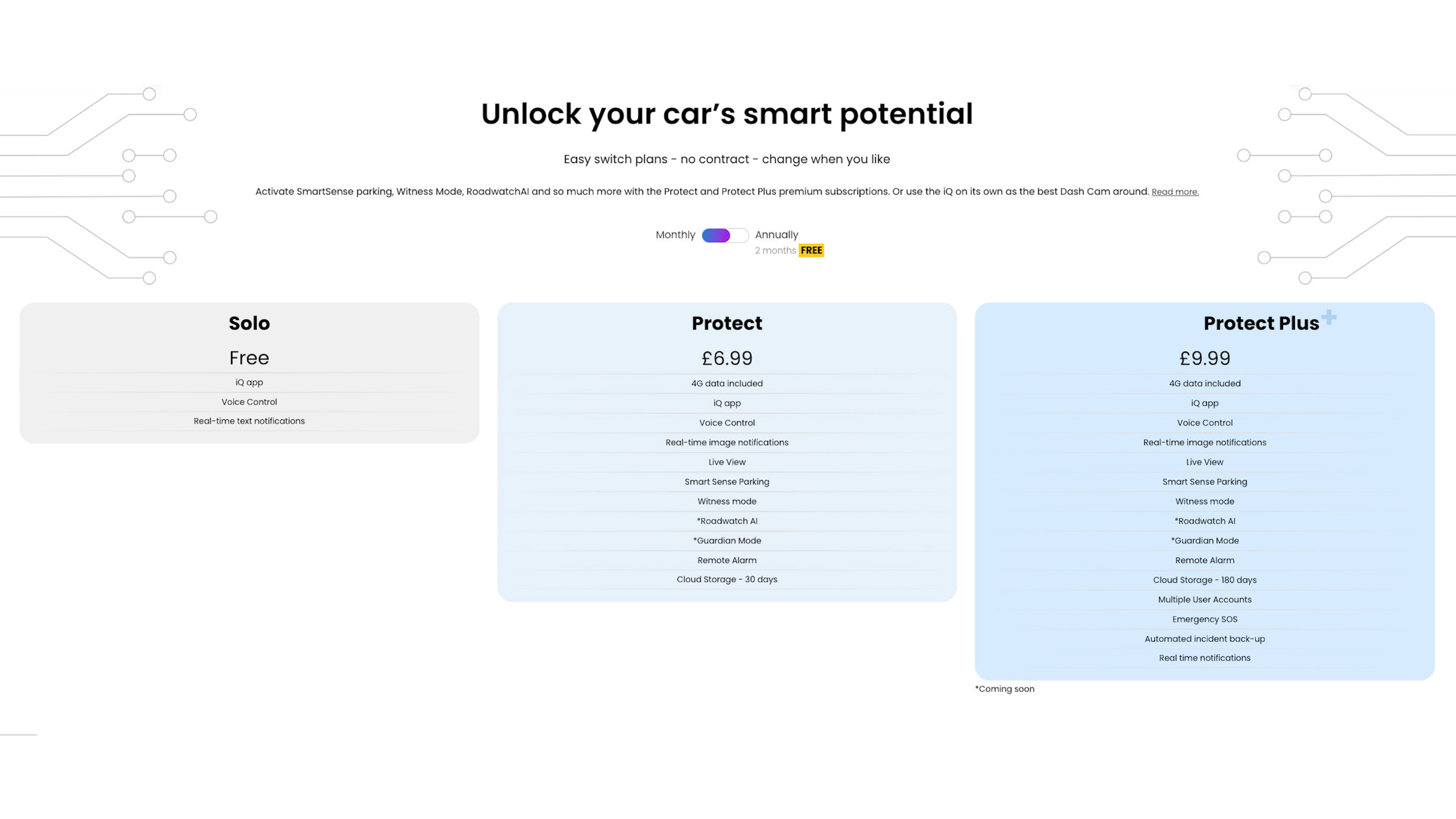
There is a free plan, which gives you access to the IQ app, voice control of the IQ and text notifications, but if you go for the Protect plan, which is £6.99 a month, or £69.99 annually, then you’ll get access to a ton of features including, 4G data, which in the UK uses Vodafone’s network and T-mobile in the USA, live view, smart sense parking, witness mode and more.
If you go for the protect plus plan, at £9.99 monthly or£99.99 annually, then you’ll get 180 days cloud storage instead of 30 days, multiple user accounts, the emergency sos feature and automated incident back-up amongst other things.
You can change or cancel your subscription plan at any point and, at the time of writing, you get the first month’s subscription free, which is the perfect way to see which plan is best for you.
Click to buy your own…
(Affiliate links which help support this blog)
How much do the Nextbase iQ dash cams and rear camera cost?
So how much are the dash cams themselves? Well, being a premium, flagship dash cam, you’re looking at £349 for the 1k version, £399 for the 2k version and £449 for the 4k version. The rear camera is available for an additional £149.
Whilst these prices are at the higher end of what you can expect to pay for a dash cam, you’re paying for some really advanced technology that can’t be found in other cameras. If you’re looking for a cheaper option, then Nextbase does a whole range of dash cams for every price point.
But if you’d like to save 10% on your Nextbase IQ and IQ rear camera, then be sure to head to nextbase.co.uk and use the code ‘LENSOFJAMES10’, which is an exclusive discount for viewers of my blog.
These prices are all correct at the time of writing in April 2024. If you’re interested in finding out more, or getting one for yourself, then I’ve got affiliate links in the description which help support this blog and make posts like this possible.
Filming quality of the Nextbase iQ front and rear cameras
As for the filming quality, being a Nextbase camera, it’s very good. I was impressed with their 622GW, but the IQ is definitely an improvement on the quality.
Here’s the main camera in 2k in the day time:
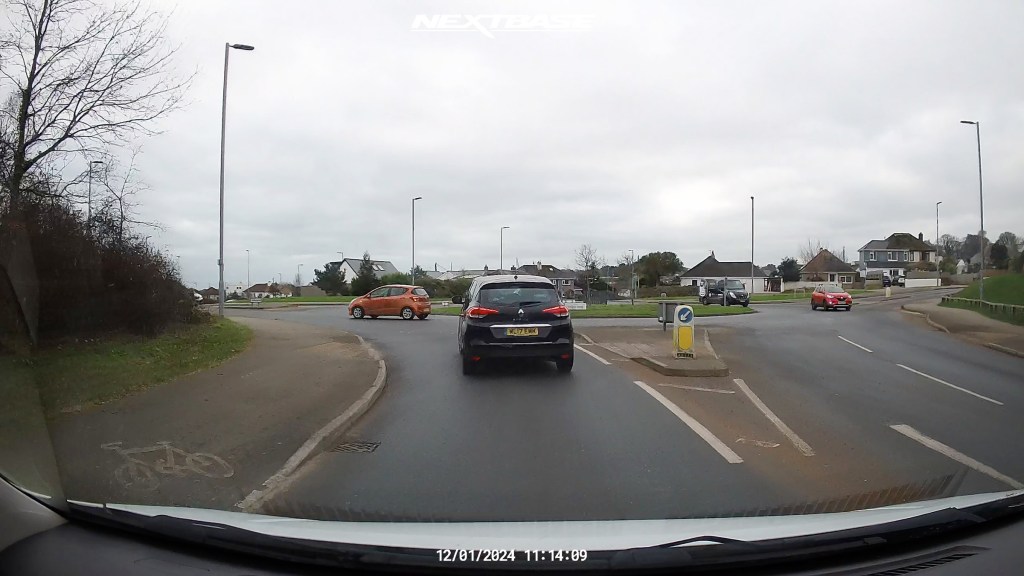
and at night:

the cabin view in the day time:

and at night:
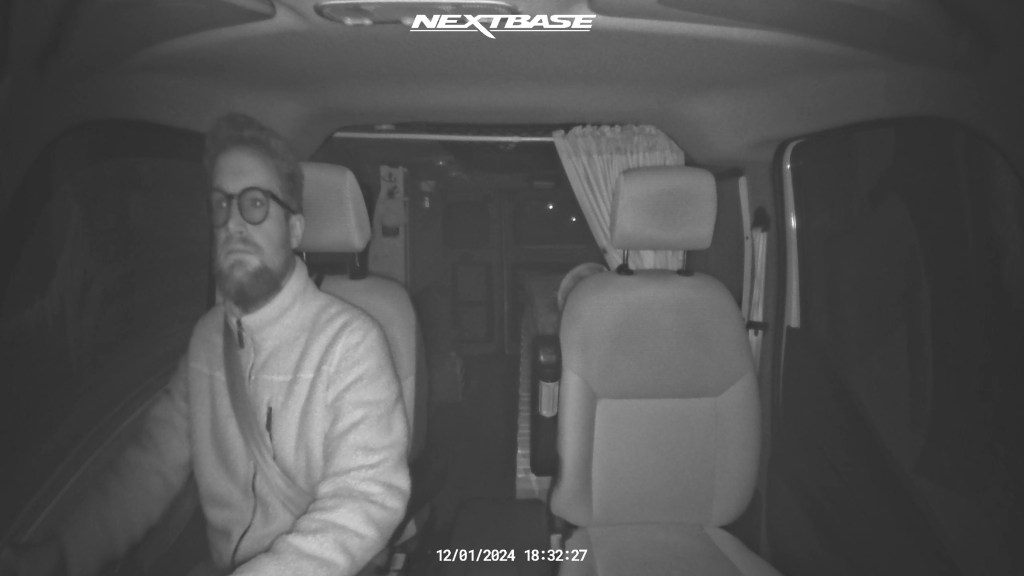
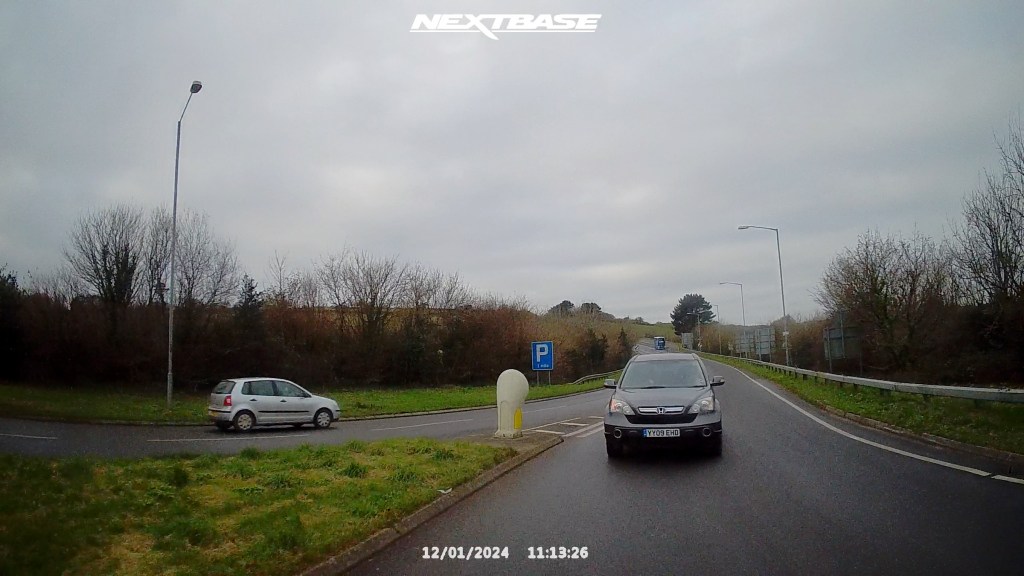
and the rear camera in the day time:
and at night (my rear windows are tinted and dirty in this video!):
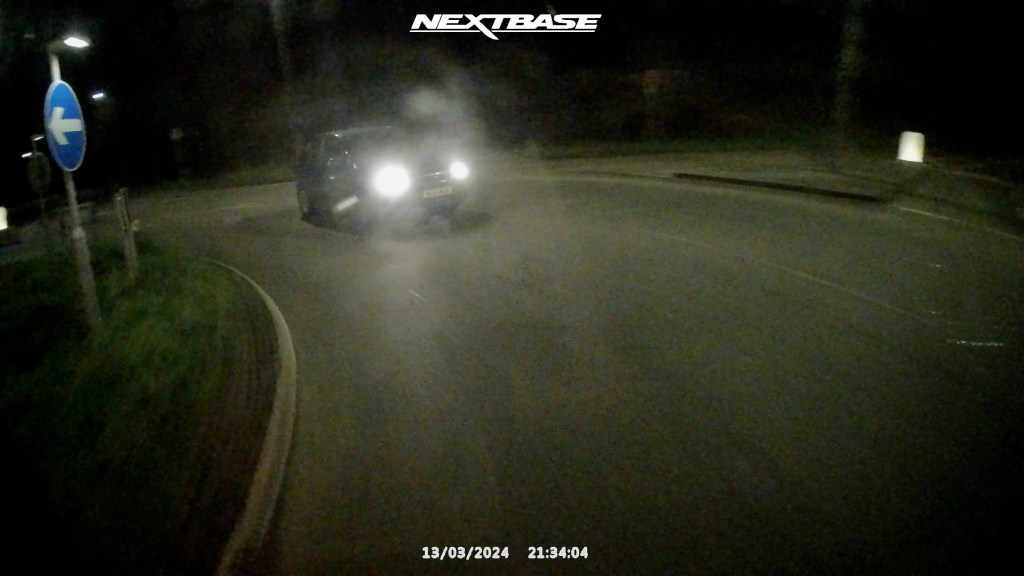
Do bear in remind that these are screenshots, resized accordingly for this blog, but hopefully it gives an idea of what you can expect from the IQ.
And here are the IQ and 622GW cameras side-by-side, and I think the improvements in the IQ are quite noticeable.
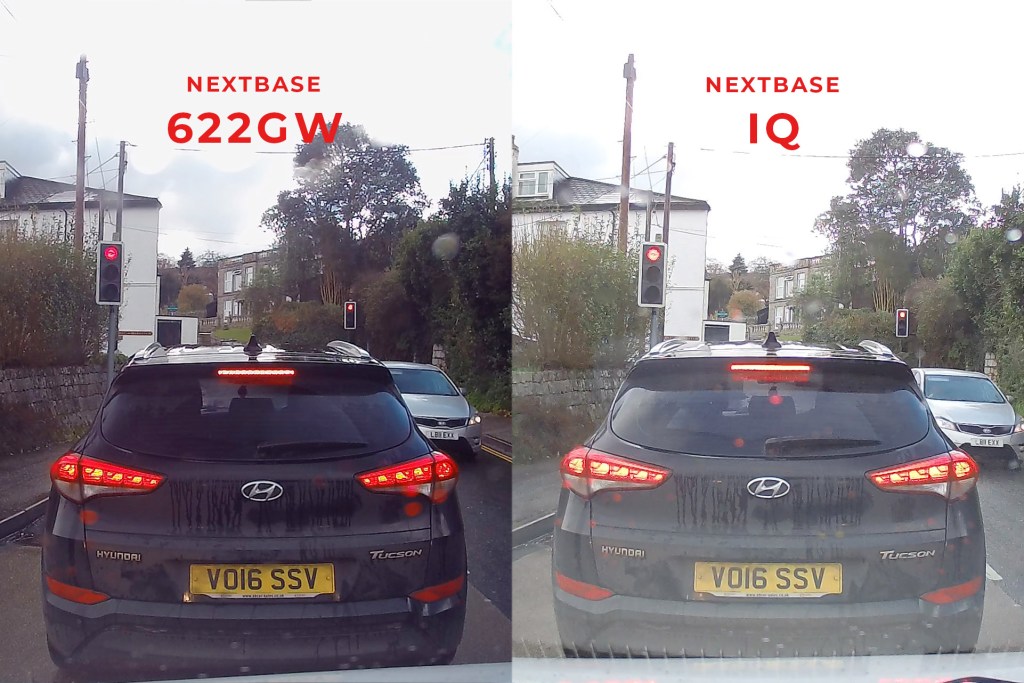
So what do you think? Would you consider a Nextbase IQ in your vehicle for that extra bit of security and peace of mind?
If you want to see more of my camper van build in action, please CLICK HERE.
Click to buy your own…
(Affiliate links which help support this blog)
 The Tiny Camper Van